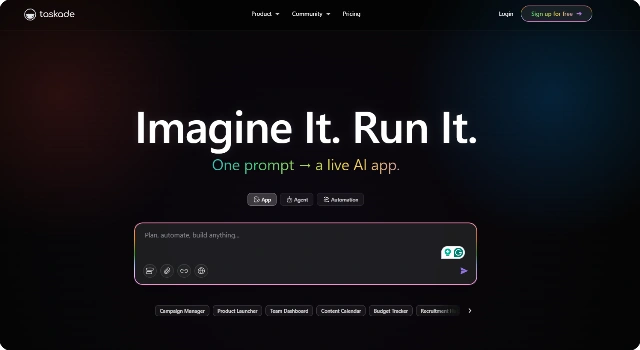
Taskade

Taskade

Collaborative AI task manager for small remote teams.
Android Platform Icon
Android
Browser Extensions
iOS Icon
iOS
macOS
macOS
Web Platform Icon
Web
Windows Platform Icon
Windows

Taskade Alternatives

What Is Taskade?

Taskade is a lightweight, collaborative task and note-taking app designed for distributed teams. It combines tasks, outlines, and documents with AI writing and summarization tools.

Teams can brainstorm, plan, and execute work in real time with chat and video calls built in. Its AI-powered writing features help generate outlines, summaries, and ideas instantly.

Key Features

Key features of Taskade include:

  • AI writing, outlining, and summarization
  • Collaborative task lists and boards
  • Integrated video chat and messaging
  • Cross-platform support
  • Ready-made templates for fast setup

Who Is Taskade Best For?

Taskade is best for:

  • Small remote teams
  • Startups needing lightweight task management
  • Teams that brainstorm and plan visually
  • Users who want tasks, docs, and chat in one tool

Pros

  • Fast and simple to use
  • All-in-one collaboration with chat and video
  • Strong AI support for brainstorming

Cons

  • Limited enterprise-level features
  • AI usage capped by plan

Final Verdict: Is Taskade Worth It?

Taskade is ideal for small distributed teams that need simplicity and speed. It blends tasks, docs, and AI into a lightweight workspace, reducing the need for multiple apps.

How to Use Taskade: Step by Step

To use Taskade effectively:

  1. Create a new workspace for your team.
  2. Set up a project using lists, boards, or templates.
  3. Add tasks and assign them to teammates.
  4. Use AI to generate outlines or summaries.
  5. Collaborate via built-in chat or video meetings.

FAQ

Q: What makes Taskade different from other task apps?
A: Taskade combines tasks, docs, chat, and video in one lightweight tool with AI assistance.

Q: Does Taskade have a free plan?
A: Yes, Taskade offers a free plan with basic task and collaboration features.

Q: Can Taskade be used offline?
A: Taskade supports offline editing on mobile and syncs changes when back online.

Q: Who is Taskade best for?
A: Taskade is best for small, remote teams needing quick setup and real-time collaboration.

Scroll to Top