Stable Diffusion

Related Tool Collections
Stable Diffusion Alternatives
What Is Stable Diffusion?
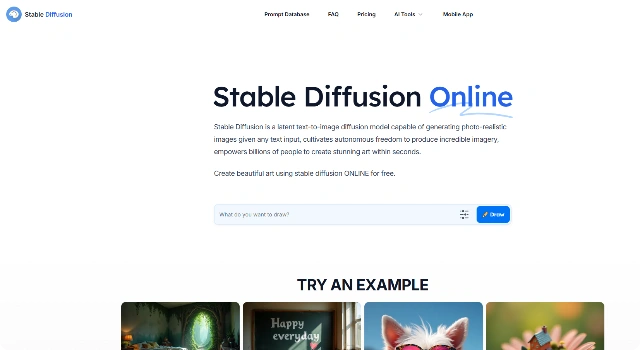
Stable Diffusion is an open‑source text‑to‑image model. You can run it locally or via web apps, customize checkpoints, and fine‑tune styles for consistent results.
It’s popular with developers and artists who want maximum control and extensibility.
Key Features
Stable Diffusion stands out among image generators because of:
- Open‑Source Ecosystem – Run locally or via hosted services with full control.
- Custom Models & LoRAs – Fine‑tune styles for characters, brands, and consistency.
- Advanced Guidance – Use ControlNet, depth, and pose guides to steer outputs.
- In/Outpainting – Replace regions or expand canvases with mask‑based edits.
- Extensible Plugins – Hundreds of UI extensions for workflows and automation.
Who Is Stable Diffusion Best For?
Stable Diffusion is best for people who want full control and custom models:
- Developers and tinkerers running AI locally or on servers
- Artists who need brand‑consistent styles via LoRA/DreamBooth
- Studios building repeatable pipelines and automation
- Educators and researchers exploring open‑source AI
Pros
- Fully Open – Self‑host or pick any UI; no vendor lock‑in.
- Deep Customization – LoRA/DreamBooth and ControlNet for exact styles.
- Huge Community – Models, extensions, and guides everywhere.
- Private by Design – Keep prompts and assets on your own machine.
- Efficient at Scale – Batch jobs and automations keep costs low.
Cons
- Setup Overhead – Installs, drivers, and UIs can be fiddly.
- GPU Demand – Smooth local use benefits from strong hardware.
- Quality Swings – Output varies by model and prompt skill.
- Ongoing Care – Updates and model management take time.
- Rights Management – You must vet datasets and licenses.
Final Verdict: Is Stable Diffusion Worth It?
Stable Diffusion is the best choice if you want control, privacy, and extensibility. With open‑source models, LoRAs, and robust tooling, it scales from hobby projects to studio pipelines—provided you’re comfortable with setup, GPUs, and ongoing maintenance.
How to Use Stable Diffusion: Step by Step
Use a hosted UI or run locally for full control.
- Pick an interface (Automatic1111, ComfyUI, or a hosted service).
- Load a base model or custom checkpoint/LoRA for your style.
- Enter a prompt, set guidance/steps, and generate; iterate or batch as needed.
FAQ
Is Stable Diffusion free?
Yes. The core model is open‑source; hosting UIs or cloud services may charge.
Do I need a GPU?
For local use, a modern GPU is recommended. You can also use cloud or hosted UIs.
How do I get a consistent character or style?
Use LoRA/DreamBooth or reference images and seeds for repeatable looks.
Which UI should I start with?
Popular choices include Automatic1111 and ComfyUI; hosted options are available.
Can I use outputs commercially?
Often yes, but check the license of each model/checkpoint you use.