Rytr

Rytr

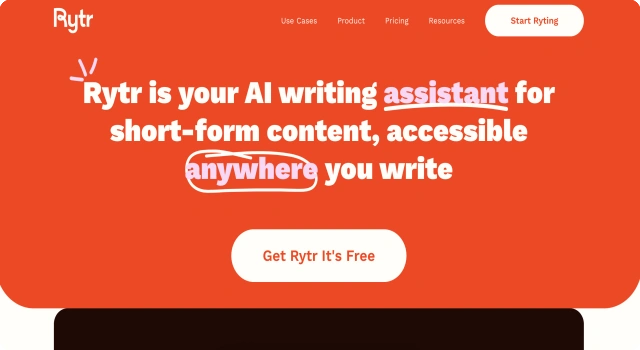
Rytr is an AI writing assistant for blog posts, emails, and marketing copy.

What Is Rytr?

Rytr is a lightweight AI writing assistant designed to help users create high-quality content in seconds. It supports over 40 use cases and templates for blogs, ads, product descriptions, emails, and more. Rytr is known for its simplicity, affordability, and multilingual support, making it ideal for freelancers and small businesses.

Key Features

Rytr delivers fast, easy content creation for a wide range of needs.

  • 40+ content use cases: From blogs to business pitches and bios
  • Multiple tones and languages: Write with emotion or professionalism in 30+ languages
  • Plagiarism checker: Ensure your content is original with built-in tools
  • Browser extension: Generate copy on the fly in any text field
  • Document organization: Save, organize, and manage your writing in-app
  • Team support: Collaborate with others inside the Rytr platform

Who Is Rytr Best For?

Rytr is ideal for individuals and small teams who need quick, quality content on a budget.

  • Freelancers: Write blogs, bios, and emails efficiently
  • Startups: Generate fast content without hiring writers
  • Social media managers: Create captions and updates
  • Small businesses: Write website copy and marketing materials
  • Students and educators: Summarize or generate text quickly

Pros

  • Simple and beginner-friendly interface
  • Affordable pricing plans
  • Supports many use cases and tones
  • Multilingual output
  • Includes plagiarism checker

Cons

  • Limited long-form writing capabilities
  • Outputs may lack creativity or depth
  • Occasional repetition in results
  • No mobile app
  • Fewer customization options than competitors

Final Verdict: Is Rytr Worth It?

Rytr is a fast, easy-to-use AI writing tool ideal for beginners, freelancers, and small businesses. It delivers good value for money and covers a wide variety of writing tasks, though it may not suit those needing deeply creative or long-form content.

How to Use Rytr: Step by Step

Getting started with Rytr is fast and simple:

  1. Visit rytr.me and sign up for a free account
  2. Choose a use case like blog, email, or ad copy
  3. Select language and tone preferences
  4. Input your topic or keywords
  5. Click 'Ryte for me' to generate content
  6. Edit or regenerate results as needed
  7. Save or organize outputs in your document folder

FAQ

Is Rytr free to use?
Yes. Rytr offers a free plan with limited monthly usage, while premium plans unlock higher monthly limits and advanced features.

How original is content from Rytr?
Rytr uses AI to generate content, but users should review and edit outputs to ensure uniqueness and accuracy.

How does Rytr generate content?
Rytr is powered by GPT‑3 models, employs custom templates like AIDA or PAS, and uses internal fine-tuning to format structured AI outputs.

Does Rytr support multiple tones and languages?
Yes. Rytr supports over 30 languages and includes customizable tones and creativity levels to adapt content style.

Can I cancel my Rytr subscription anytime?
Yes. Rytr offers flexible subscription management, and users can cancel or pause their plan at any time.

Scroll to Top