Otter ai

Otter.ai

AI-powered tool for real-time meeting transcription and summaries.

What Is Otter.ai?

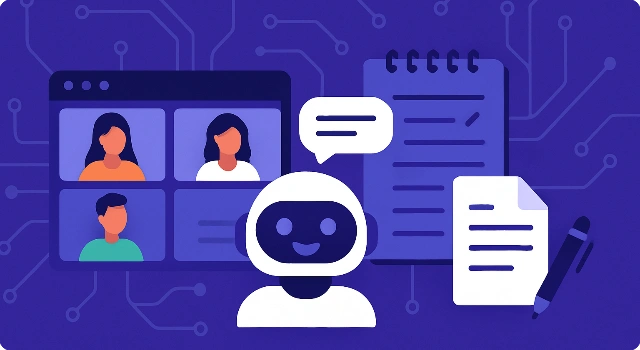
Otter.ai is an AI-powered note-taking app that transcribes conversations in real time, generates summaries, and makes meetings searchable. It’s widely used by professionals and students for accurate transcripts and collaboration.

Key Features

Otter.ai helps capture every word without distraction.

  • Real-time transcription with speaker identification
  • Automatic highlights, summaries, and action items
  • Searchable transcripts and keyword detection
  • Integrations with Zoom, Google Meet, and Teams
  • AI Chat to query past notes

Who Is Otter.ai Best For?

Otter.ai suits anyone who wants reliable meeting notes.

  • Professionals documenting business meetings
  • Students recording lectures
  • Remote teams collaborating on projects

Pros

  • Highly accurate transcription and summaries
  • Integrates with popular meeting platforms
  • Collaborative features for teams

Cons

  • Free plan is limited
  • Occasional errors in noisy environments
  • Advanced features behind paid tiers

Final Verdict: Is Otter.ai Worth It?

Otter.ai is a dependable transcription and note-taking solution that helps you capture and revisit key moments. Its mix of accuracy, AI summaries, and integrations makes it a top choice in 2025.

How to Use Otter.ai: Step by Step

Using Otter.ai is simple:

  1. Create an account and install the app
  2. Join or record a meeting through Otter
  3. Watch live transcription or review after
  4. Highlight key points and generate summaries
  5. Export or share notes with your team

FAQ

What does Otter.ai do?
It transcribes conversations in real time, generates summaries, and creates searchable transcripts.

Does Otter.ai work with Zoom?
Yes, Otter.ai integrates with Zoom, Google Meet, and Microsoft Teams.

Is there a free plan?
Yes, with limited minutes; paid plans unlock more features.

Scroll to Top