Napkin AI

Related Tool Collections
What Is Napkin AI?
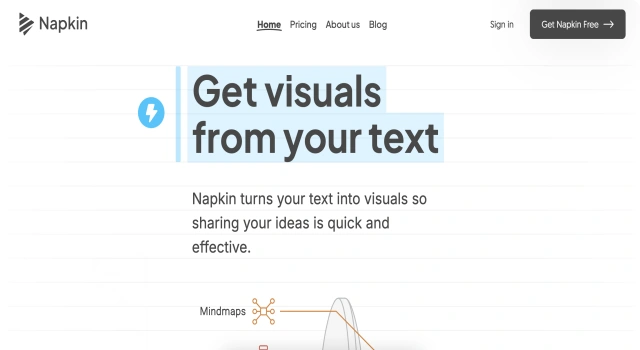
Napkin AI is a modern, minimalist tool for capturing, organizing, and revisiting your ideas. Powered by AI, it helps surface connections between thoughts, suggest relevant insights, and spark creativity. Its intuitive design supports effortless note capture and deep thinking for creators, writers, and knowledge workers.
Key Features
Napkin AI enhances your thinking process by helping you collect and rediscover your ideas.
- AI note suggestions: Get smart links and related thoughts based on your notes
- Daily resurfacing: Prompts to revisit past ideas and inspire new thinking
- Knowledge linking: Tag and connect concepts to build a personal idea network
- Minimal UI: Focused design for distraction-free thinking
- AI writer: Turn short ideas into longer text with help from AI
- Visual interface: Grid-based board for browsing your ideas visually
Who Is Napkin AI Best For?
Napkin AI is designed for thinkers, creators, and anyone who values capturing small sparks of insight.
- Creatives: Collect and link ideas for art, content, and writing
- Writers: Turn scattered notes into structured drafts
- Entrepreneurs: Track product ideas and inspirations
- Students: Reflect on learnings and build knowledge over time
- Knowledge workers: Develop a personal second brain
Pros
- Innovative AI idea resurfacing
- Simple, clean interface
- Encourages daily reflection
- Builds a web of ideas over time
- Good for micro-notes and thoughts
Cons
- Limited exporting/sharing options
- Not a traditional full-featured note-taking tool
- Best features are paid-only
- Web-first (no Android app yet)
- May feel too abstract for some users'
Final Verdict: Is Napkin AI Worth It?
Napkin AI offers a unique way to think with your notes. It’s not just a note-taking app—it’s a creativity tool that helps you uncover connections between your thoughts. While it may lack some features found in traditional note tools, its AI-first approach to reflection and insight makes it a standout for thinkers and creatives.
How to Use Napkin AI: Step by Step
Here’s how to get started with Napkin AI:
- Sign up at napkin.one with a free or paid plan
- Start capturing short notes, thoughts, or ideas
- Tag your notes or let the AI suggest categories
- Return daily to see resurfaced ideas
- Use the AI writing assistant to expand on thoughts
- Explore the visual board to discover links and patterns
- Build your knowledge base over time
FAQ
Can I Use Napkin AI Visuals Commercially?
Yes, visuals created with Napkin AI are not subject to copyright and can be used freely in presentations, websites, and publications.
How Can I Control the Visual Style?
Begin your prompt with hints like “Chart:” or “Graph showing…” to guide the style of the generated visual.