LivingWriter

LivingWriter

Manuscript editor with AI rewrites, characters, chapters, and export tools.
Android Platform Icon
Android
iOS Icon
iOS
macOS
macOS
Web Platform Icon
Web
Windows Platform Icon
Windows

Related Tool Collections

LivingWriter Alternatives

What Is LivingWriter?

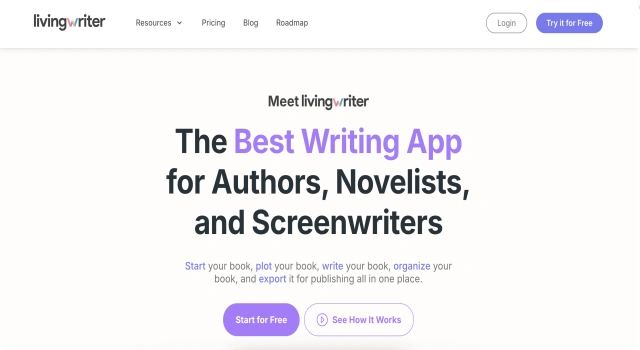
LivingWriter is a cloud manuscript editor that combines outlining, drafting, and organization in one place. You can manage chapters and scenes alongside characters and settings, write in a clean, distraction-reduced editor, and use built-in AI rewrites to refine clarity, tone, or pacing.

Designed for long-form projects, it keeps your story elements connected to the text and exports cleanly to common publishing formats. It’s a practical hub for moving from outline to finished draft without constant tool-switching.

Key Features

LivingWriter combines outlining, drafting, and AI rewrites in a cloud editor built for long-form fiction, keeping story elements linked to your manuscript.

  • Chapters & scenes: Organize the book with drag-and-drop structure.
  • Story elements: Link characters, settings, and notes to the scenes they affect.
  • Inline AI rewrite: Improve clarity, tone, and rhythm without leaving the editor.
  • Templates & outlines: Start from proven structures or build your own.
  • Clean exports: Output to common formats for editors and publishing.

Who Is LivingWriter Best For?

  • Long-form novelists: Keep chapters, scenes, and notes organized in a single manuscript workspace.
  • Outline-to-draft writers: Move from beats to polished chapters without constant tool-switching.
  • Revision-focused authors: Use inline AI to refine clarity, tone, pacing, and consistency.
  • Cross-device writers: Draft on desktop or mobile with cloud sync and version safety.
  • Self-publishers: Export clean DOCX/EPUB/PDF for beta readers, editors, and publishing.
  • Series authors: Reuse characters and settings while maintaining continuity across books.

Pros

  • All-in-one manuscript hub for outline → draft → export.
  • Inline AI rewrites without leaving the editor.
  • Clear chapter/scene structure with linked characters and settings.
  • Clean exports (e.g., DOCX/EPUB/PDF) for editors and publishing.
  • Cloud sync and cross-device access with version safety.

Cons

  • No permanent free plan; subscription after trial.
  • Worldbuilding depth lighter than specialist planning tools.
  • AI rewrite helps, but still requires strong human editing judgment.
  • Fewer advanced formatting options than dedicated book-formatting apps.
  • Cloud-first workflow may not suit strict offline needs.

Final Verdict: Is LivingWriter Worth It?

A practical all-in-one manuscript hub. If you want outlines, chapters, story elements, and AI rewrites in one place with clean exports, LivingWriter is a strong primary workspace for novelists.

How to Use LivingWriter: Step by Step

LivingWriter unifies outlining, drafting, and AI revision in one workspace:

  1. Go to livingwriter.com and sign in or start the free trial
  2. Create a book project from a template or a blank manuscript
  3. Add chapters and scenes; link characters, settings, and notes
  4. Draft in the editor, using AI Rewrite on selected passages as needed
  5. Set word goals and track daily progress across chapters
  6. Export DOCX/EPUB/PDF for beta readers, editors, or publishing

FAQ

Is there a free trial?
Yes. LivingWriter offers a 14-day free trial, with the terms page noting no charge or credit card until you choose to subscribe.

Can I import and export my manuscript?
Yes. LivingWriter highlights imports from other writing apps and exports to multiple formats, including a KDP-friendly option and Google Drive/Dropbox.

Does LivingWriter handle long manuscripts?
The site emphasizes architecture designed to handle long works (e.g., chapters/subchapters load quickly).

Scroll to Top