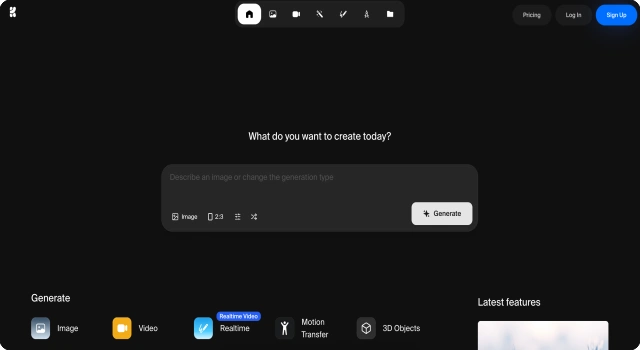
KREA AI is a browser-based AI tool that lets users create images from text using fast, interactive rendering. It's ideal for artists and designers who want to generate visuals without software installation.
Key Features
Krea AI is built for real-time image generation with advanced creative control. It helps designers and artists get instant visual output from prompts.
Live preview while typing prompts
Advanced region masking and brush tools
Style presets for fashion, architecture, and more
Supports reference images for accuracy
Community prompt inspiration and project gallery
Who Is Krea AI Best For?
Krea AI is ideal for creators who want speed and precision in visual generation.
Digital artists and illustrators needing real-time feedback
Content creators seeking aesthetic assets quickly
Designers building mood boards or visual guides
Pros
Real-time prompt-to-image generation with instant feedback
Supports style presets and region masking
Great for rapid concepting and iteration
Cons
Limited model customization compared to advanced image tools
Browser-based only, no native app yet
Still in beta; occasional bugs may occur
Final Verdict: Is Krea AI Worth It?
Krea AI is a great starting point for anyone curious about AI-generated visuals. It's quick, accessible, and works well for light creative use.
How to Use Krea AI: Step by Step
Using Krea AI is quick and intuitive for real-time image generation:
Go to www.krea.ai and sign in or create a free account
Enter a text prompt in the input box
See your image generate live as you type
Adjust region masks or add brush details if needed
Choose from style presets to guide the aesthetic
Download or save your artwork to your profile
FAQ
Does Krea AI support inpainting or masking?
Yes, it supports region masking and selective editing tools.
Can I use Krea AI for commercial artwork?
Check individual license terms for each generated image before use.