Fathom

Fathom

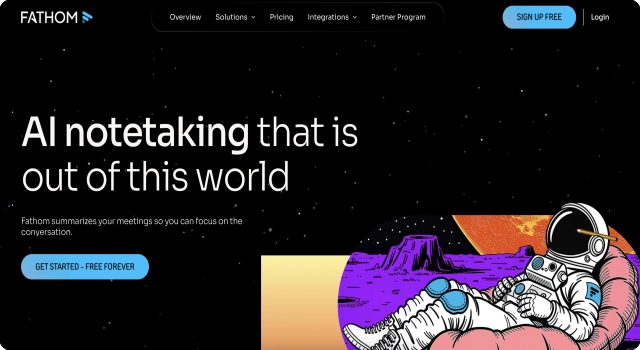
AI summaries and transcripts for Zoom and Meet calls.

What Is Fathom?

Fathom is an AI meeting assistant that transcribes calls and generates bullet-point summaries with key highlights. It works seamlessly with Zoom and Meet.

Key Features

Fathom automatically records, transcribes, and summarizes your Zoom or Meet calls. It helps individuals and teams stay aligned without taking notes.

  • Automatic recording and transcription of meetings
  • AI-generated summaries with actionable bullet points
  • Timestamped highlights for fast navigation
  • CRM integration to sync meeting insights
  • Unlimited usage for individuals, free of charge

Who Is Fathom Best For?

Fathom is perfect for professionals who need meeting notes but hate note-taking.

  • Remote teams on Zoom or Google Meet
  • Sales reps needing call summaries and highlights
  • Consultants and coaches keeping track of client sessions

Pros

  • Fully automated meeting summaries and highlights
  • Works seamlessly with Zoom and Google Meet
  • Free for individuals, no usage limits

Cons

  • Only works with Zoom and Google Meet
  • No offline transcription or manual upload support
  • Team features are paid

Final Verdict: Is Fathom Worth It?

Fathom is a must-have AI assistant for people who spend time in meetings. Its free tier is powerful and easy to use.

How to Use Fathom: Step by Step

Recording and summarizing meetings with Fathom is fully automated:

  1. Go to www.fathom.video and sign in with Zoom
  2. Schedule or start a Zoom/Meet call as usual
  3. Fathom auto-joins and records/transcribes the meeting
  4. After the call, receive a summary with key takeaways
  5. Highlight important moments and share clips with your team
  6. Access meeting insights from your Fathom dashboard anytime

FAQ

Is Fathom free for individuals?
Yes, Fathom is completely free for individual users with no usage caps.

Which platforms does Fathom support?
Fathom works with Zoom and Google Meet only.

Can I download meeting summaries?
Yes, you can export highlights and summaries after each meeting.

Scroll to Top