DreamStudio

DreamStudio

AI image generator for Stable Diffusion with browser-based access.

What Is DreamStudio?

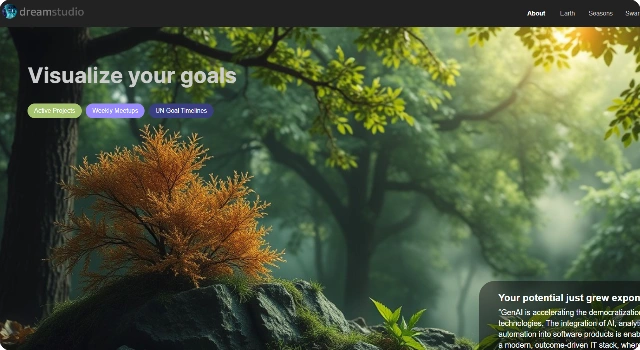
DreamStudio is the official web app by Stability AI for Stable Diffusion, a leading open-source AI model for text-to-image generation. It offers a simple browser interface where anyone can create visuals without installing software or having powerful hardware.

Key Features

DreamStudio combines the power of Stable Diffusion with a simple web interface, making AI art creation accessible to everyone. Here are its standout features:

  • Stable Diffusion access: Use the latest models directly from Stability AI.
  • Flexible controls: Adjust prompt weight, aspect ratio, and styles.
  • Credit system: Pay-per-use with transparent pricing and free starter credits.
  • Upscaling & variations: Refine and improve outputs quickly.
  • Always updated: Access new Stable Diffusion versions as soon as they’re released.

Who Is DreamStudio Best For?

DreamStudio is best for creators, marketers, and teams who want quick access to Stable Diffusion without local setup. It’s ideal for users who value convenience and reliability.

  • Artists experimenting with AI art styles
  • Marketers producing campaign visuals
  • Teams prototyping concepts quickly
  • Casual users exploring AI art

Pros

  • Official, reliable access to Stable Diffusion
  • Clean and beginner-friendly UI
  • Pay-as-you-go pricing with free credits
  • Frequent updates from Stability AI

Cons

  • Can become expensive for heavy use
  • Less customizable than self-hosted Stable Diffusion

Final Verdict: Is DreamStudio Worth It?

DreamStudio offers the easiest way to use Stable Diffusion without technical setup. It’s convenient, user-friendly, and always up to date, making it ideal for creatives, marketers, and teams who want fast AI image generation without managing software or hardware.

How to Use DreamStudio: Step by Step

Getting started with DreamStudio is simple:

  1. Go to the DreamStudio website and create an account.
  2. Use free credits to test text-to-image generation.
  3. Write a descriptive prompt and adjust settings like ratio or style.
  4. Click generate to produce images, then upscale or refine as needed.
  5. Buy more credits if you need extended use.

FAQ

Is DreamStudio free?
Yes, new users get free credits, after which credits must be purchased.

Can I use DreamStudio images commercially?
Yes, Stability AI allows commercial use under its license terms.

What models does DreamStudio support?
It provides access to official Stable Diffusion versions, including the latest releases.

Do I need to install anything?
No, DreamStudio runs fully in the browser with no local setup required.

Scroll to Top