DiffusionBee

Related Tool Collections
DiffusionBee Alternatives
What Is DiffusionBee?
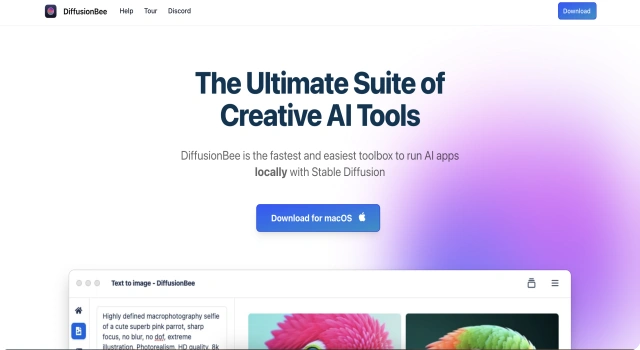
DiffusionBee is an offline Stable Diffusion GUI for Mac. It allows users to generate AI art locally with no server or internet connection.
Key Features
DiffusionBee brings AI image generation to your Mac, entirely offline. No internet, no account, just Stable Diffusion on your device.
- Run Stable Diffusion locally on macOS
- Supports text-to-image and image-to-image modes
- Inpainting and prompt tuning included
- No data uploads or server-side processing
- Free and open-source for personal use
Who Is DiffusionBee Best For?
DiffusionBee is best for Mac users who want local, private AI image generation.
- Artists who prefer running Stable Diffusion offline
- Mac users who don’t want cloud dependency
- Experimenters using open-source tools
Pros
- Runs entirely offline with no account needed
- Includes inpainting and image-to-image options
- Private, fast, and open-source
Cons
- Mac-only; no Windows or Linux version
- Large model files take up local storage
- No real-time collaboration or cloud access
Final Verdict: Is DiffusionBee Worth It?
DiffusionBee is the best local AI art tool for Mac. It’s simple, powerful, and totally free.
How to Use DiffusionBee: Step by Step
DiffusionBee runs Stable Diffusion locally on macOS with no internet needed:
- Download DiffusionBee from www.diffusionbee.com
- Install and launch the app on your Mac
- Enter a text prompt for image generation
- Choose your model and adjust settings like steps or guidance
- Click “Generate” and view the result locally
- Export the image or continue editing offline
FAQ
Is DiffusionBee really offline?
Yes, it runs entirely on your Mac without needing internet access.
Does it work on Windows?
No, DiffusionBee is currently only available for macOS.
Is it safe to use?
Yes, it’s open-source and runs locally for full user privacy.