Cursor AI

Cursor

AI-first IDE combining coding, chat, and automation.
Linux Icon
Linux
macOS
macOS
Windows Platform Icon
Windows

Related Tool Collections

What Is Cursor?

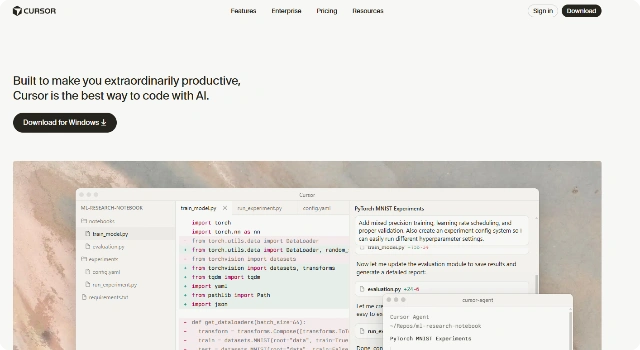
Cursor is an AI-first IDE inspired by VS Code that bakes conversational coding into the editor. Developers can describe intent in natural language, get inline changes, and iterate quickly with project-wide context.

Because it blends familiar editing with AI-native workflows, Cursor appeals to builders who want a streamlined environment where coding, refactoring, and explanations happen in one place.

Key Features

Cursor is an AI-first IDE that reimagines coding with built-in AI capabilities. It offers real-time code suggestions, repository-aware assistance, and a collaborative environment for developers who want to work faster and smarter. Designed as a modern coding workspace, it integrates AI deeply into the coding experience.

  • AI-native IDE with built-in coding assistance
  • Repository-aware context and completions
  • Supports multiple programming languages
  • Integrated chat for debugging and exploration
  • Optimized for speed and collaboration

Who Is Cursor Best For?

Cursor is best for developers who want an IDE built around AI from the ground up. It provides a modern, collaborative workspace for faster development.

  • Developers wanting an AI-native IDE
  • Teams building projects with repository-aware context
  • Students learning with integrated AI help
  • Indie developers looking for a fast, modern editor
  • Professionals exploring alternative coding environments

Pros

  • AI-first IDE built for developers
  • Deep integration of AI into coding workflows
  • Supports team collaboration

Cons

  • Relatively new platform with evolving features
  • Not as stable as established IDEs
  • Requires learning curve for AI-first workflow

Final Verdict: Is Cursor Worth It?

Cursor delivers an AI‑native IDE experience. Builders who want conversational edits, rapid iteration, and a focused workspace will appreciate its streamlined workflow.

How to Use Cursor: Step by Step

AskCodi is handy for quick coding help and snippets. To get started, follow these steps:

  1. Install AskCodi’s plugin or use the web platform
  2. Select the coding language or framework you need help with
  3. Type natural language queries for code snippets or SQL queries
  4. Copy, edit, and paste results into your project
  5. Save frequent prompts for faster reuse

FAQ

Is Cursor based on VS Code?
Yes. Cursor is a VS Code-inspired IDE with AI features built in.

Which AI models does Cursor use?
It supports multiple LLMs, selectable in settings.

Can I use VS Code extensions?
Yes. Many VS Code extensions are compatible with Cursor.

Do AI features work offline?
The editor works offline, but AI assistance requires internet access.

Scroll to Top