Best AI Note-Taking Tools for Students in 2026
Take Smarter Notes and Study Faster with the Best AI Note-Taking Apps
Free AI note-taking tools let you save time without spending money. This guide covers apps with strong free plans and student-friendly features.
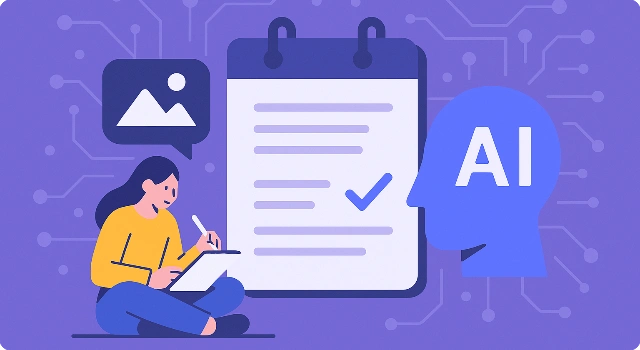








Taking notes is one of the most important skills for students, but it can also be one of the most time-consuming. Between lectures, assignments, and exam prep, it’s easy to feel buried under messy notebooks or endless Google Docs. That’s where AI comes in. Today’s note-taking apps don’t just store your notes—they actively help you learn faster by summarizing lectures, creating flashcards, and organizing ideas automatically.
In this guide, we’ll explore the best AI note-taking tools for students in 2026. Whether you want a reliable transcription tool for lectures, a second-brain system that links concepts across courses, or a simple app that turns your notes into quizzes, these AI-powered apps can make studying more effective and far less stressful.
What Is an AI Note-Taking App for Students?
An AI note-taking app is software that helps students capture, organize, and study class material using artificial intelligence. Beyond basic typing or handwriting, these tools can transcribe lectures in real time, summarize long notes or PDFs into key points, generate flashcards and quizzes, and surface connections between topics across your courses. Many also support search that understands context, so you can ask questions and quickly find the exact concept, timestamp, or source you need.
For students, the benefit is speed and clarity: AI reduces the time spent cleaning up notes and creates study-ready materials automatically. Good apps also work across devices (iPad, Windows, Android, Mac), support inputs like stylus handwriting and audio, and offer clean export options (PDF/Markdown) so your work stays portable beyond the semester.
How We Choose Best AI Note-Taking Tools for Students?
We tested these AI note-taking apps the way students actually use them: recording real lectures, importing PDFs and slides, turning messy notes into summaries and flashcards, and syncing across laptop and phone. We paid attention to speed, accuracy, and the little usability details that either save time during exam week—or waste it.
- Transcription & capture accuracy: How reliably does the app record and transcribe lectures (live and from uploads)? Are timestamps, speakers, and noisy classrooms handled well?
- AI summaries & study aids: Do one-click summaries make sense? Can the tool generate useful outlines, flashcards, and quiz questions without heavy editing?
- Organization & recall: Can you tag, link, or graph notes by course and topic? Is search fast and precise (including inside PDFs, images, or audio) so you can find concepts instantly?
- Platform & input support: Does it work smoothly on your setup—iPad/Apple Pencil, Windows/Surface stylus, Android/Chromebook, Mac? Are features consistent across devices and offline?
- Collaboration & classroom fit: How easy is sharing transcripts, comments, and study guides with classmates? Does it handle group projects and integrates cleanly with slides/LMS links?
- Export & ownership: Are clean exports (PDF, Markdown, text, audio) and automatic backups available so you’re not locked in after the semester—or after graduation?
- Privacy & pricing: Are your notes protected (encryption, local options, clear data policies)? Is the free tier/student pricing generous enough, and are paid plans worth it?
We only recommend tools that met these standards in real use. If a feature felt unreliable, confusing, or poor value, we flagged it—or left the app off the list—so you can choose with confidence.
Best AI Note-Taking Tools for Students
Best all-in-one AI note-taking app for students.
Notion AI adds AI to Notion’s flexible workspace so students can summarize lectures, turn messy notes into study guides, and organize class materials faster.
Key features for students:
- One‑click summaries: Condense long notes, PDFs, and pages into key points.
- Study guide drafts: Generate outlines, flashcard prompts, and checklists from class notes.
- Rewrite & clarify: Rephrase complex text, fix grammar, and change tone for clarity.
- Database + AI: Ask questions across your course wiki, readings, and assignment tracker.
- Collaboration: Co-edit with classmates and use AI to split tasks or recap meetings.
Pros:
- Powerful all-in-one workspace with AI on top
- Great for organizing multi-course workloads
- Strong templates for syllabi, readings, and labs
Cons:
- Can feel complex without a simple template
- AI features require an add-on; heavy pages can be slow
Use cases for students:
- Turn lecture notes into concise study guides
- Summarize readings and extract key terms
- Create a course hub linking notes, deadlines, and resources
Pricing:
- Free plan: Core Notion plus limited AI usage suitable for light study.
- Paid plans: Personal/Team plans unlock advanced features; AI is an add-on with larger usage limits.
Verdict: Best for students who want an all-in-one workspace with AI to organize courses and auto-draft study materials.
Best AI transcription tool for students.
Otter.ai records classes and study sessions, transcribes in real time, and uses AI to highlight key points so you can review faster.
Key features for students:
- Live transcription: Capture lectures on laptop or phone with timestamps.
- AI highlights & summary: Auto-extract action items, keywords, and outline.
- Speaker detection: Distinguish professors and classmates in discussions.
- Searchable archive: Find concepts by keyword across recordings.
- Collaboration: Share transcripts and insert comments for group study.
Pros:
- Fast, accurate lecture transcription
- Great summaries and keyword highlights
- Easy sharing for study groups
Cons:
- Requires clear audio; noisy rooms reduce accuracy
- Free tier has limited monthly minutes
Use cases for students:
- Record lectures and get instant searchable notes
- Review difficult concepts with timestamps and highlights
- Share transcripts with absent classmates
Pricing:
- Free plan: Limited transcription minutes per month.
- Paid plans: Higher transcription limits, advanced exports, and collaboration options.
Verdict: Best for lecture-heavy students who need reliable AI transcription and quick summaries.
Best AI flashcard note-taking app for students.
RemNote blends notes with AI-generated flashcards and spaced repetition so you can remember more with less effort.
Key features for students:
- AI flashcards: Create cards from notes automatically with good cloze support.
- Spaced repetition: Study schedules adapt to what you forget or remember.
- Concept linking: Build knowledge graphs across topics and classes.
- PDF highlights: Extract terms and generate practice questions.
Pros:
- Excellent for exam prep and long-term retention
- Fast card creation from lecture notes and readings
- Powerful spaced repetition engine
Cons:
- Interface can feel dense for beginners
- Advanced features require paid plan
Use cases for students:
- Turn weekly notes into flashcards automatically
- Build a study deck for midterms and finals
- Drill definitions, formulas, and diagrams
Pricing:
- Free plan: Core notes and basic flashcards.
- Paid plans: Advanced AI generation, PDF tools, and power-user features.
Verdict: Best for students who want AI-assisted flashcards and spaced repetition baked into note-taking.
Best context-aware AI note-taking app for students.
Mem AI is a personal AI that organizes your notes automatically and answers questions with context from your own knowledge base.
Key features for students:
- Auto-organization: AI tags, links, and files notes without manual sorting.
- Ask your notes: Query across classes and get citations back to the source.
- Smart capture: Save ideas from email, web, and mobile into one inbox.
- Writing help: Draft summaries, outlines, and emails with context.
Pros:
- Great recall—answers cite your own notes
- Little manual organization required
- Good for busy students juggling many classes
Cons:
- Works best once you’ve built up a corpus of notes
- Less suited for heavy handwriting or PDF annotation
Use cases for students:
- Search all class notes to answer study questions
- Auto-organize readings and lecture takeaways
- Draft project briefs or summaries with your sources attached
Pricing:
- Free plan: Limited capture and assistant features.
- Paid plans: More AI queries, integrations, and advanced organization.
Verdict: Best for students who want a context-aware AI that can recall and organize information automatically.
Best AI outliner note-taking app for students.
Tana combines an outliner with AI that helps structure ideas, generate nodes, and connect concepts across your courses.
Key features for students:
- AI structuring: Turn raw notes into clean outlines and task lists.
- Knowledge graph: Link topics, lectures, and references with backlinks.
- SuperTags & fields: Consistent metadata for courses, assignments, and readings.
- AI queries: Ask for summaries or compare concepts across nodes.
Pros:
- Excellent for hierarchical thinkers
- Flexible metadata keeps course work tidy
- Strong AI for organizing complex topics
Cons:
- Learning curve for tags and graph concepts
- Not ideal for heavy handwriting workflows
Use cases for students:
- Outline lectures and research papers quickly
- Map relationships between theories and authors
- Track assignments with linked notes and deadlines
Pricing:
- Free plan: Limited usage to explore the system.
- Paid plans: More AI actions, graph features, and collaboration.
Verdict: Best for structured thinkers who want AI to help organize and connect complex course material.
Best visual AI note-taking app for students.
Heptabase is a visual notebook with AI that helps you sort ideas on a canvas, cluster research, and see the big picture.
Key features for students:
- Canvas boards: Drag notes, quotes, and images into visual clusters.
- AI grouping & summaries: Organize topics and generate quick recaps.
- PDF & snippet capture: Save highlights and link them to your boards.
- Research workflows: Move from raw sources to structured arguments.
Pros:
- Great for visual learners and research projects
- Helps reveal themes and relationships
- Solid for planning essays and presentations
Cons:
- Less suited for linear lecture note-taking
- Requires time to maintain boards
Use cases for students:
- Organize sources for essays or theses
- Map out study themes across a semester
- Plan slide decks with clustered notes
Pricing:
- Free plan: Basic exploration with limited boards/AI.
- Paid plans: Full canvases, advanced AI actions, and research features.
Verdict: Best for visual learners who need AI to organize research and discover patterns.
Best minimal AI note-taking app for students.
Reflect Notes is a lightweight knowledge app where AI helps you connect ideas, create backlinks, and retrieve what you’ve learned.
Key features for students:
- Backlinks & graph: Link class topics and see relationships.
- AI recall: Ask questions and jump to the source note.
- Daily notes: Quick capture with automatic linking.
- Privacy options: Local-first mindset for sensitive study notes.
Pros:
- Fast, minimal, and distraction-free
- Strong personal knowledge graph with AI assist
- Good privacy stance
Cons:
- Fewer collaboration features
- Not built for handwriting or heavy PDFs
Use cases for students:
- Build a connected knowledge base per course
- Quickly recall definitions and sources via AI
- Keep a daily learning journal with backlinks
Pricing:
- Free plan: Limited notes and basic AI queries.
- Paid plans: More storage, graph features, and AI capacity.
Verdict: Best for students who want a minimal knowledge graph with AI recall and strong privacy.
Best second-brain AI note-taking app for students.
Capacities is a second-brain app where AI helps tag, link, and summarize your notes so topics and assignments stay organized automatically.
Key features for students:
- AI tagging & linking: Auto-classify notes by course, topic, and source.
- Object types: Structure readings, lectures, and assignments with templates.
- Summaries & outlines: Generate quick recaps and study outlines.
- Cross-note search: Ask questions and get references to original notes.
Pros:
- Great organization with minimal manual work
- Flexible object types fit academic workflows
- Useful AI summaries for revision
Cons:
- Best on desktop; mobile is improving
- Some features require configuration to shine
Use cases for students:
- Keep readings, notes, and assignments connected
- Auto-summarize weekly lectures for quick review
- Search your second brain for exam prep
Pricing:
- Free plan: Core capture and limited AI usage.
- Paid plans: More AI actions, templates, and larger storage.
Verdict: Best for students who want a second brain with AI-powered tagging, linking, and summaries.
Final Thoughts
AI note-taking apps are quickly becoming must-have tools for students. Whether you’re attending lectures, preparing for exams, or managing group projects, the right platform can save time, improve organization, and make studying more effective. As the technology continues to advance, expect even smarter summaries, more accurate transcriptions, and personalized study aids that fit the way you learn best.
FAQ About Best AI Note-Taking Tools for Students
What is the best AI note-taking app for students?
Notion AI is one of the most versatile choices, offering summaries, study guides, and organization in one place. For lecture-heavy courses, Otter.ai and Glean excel at transcription, while RemNote is ideal for flashcards and exam prep.
Can AI apps replace traditional note-taking?
AI apps don’t replace note-taking but enhance it. They help summarize lectures, create flashcards, and keep notes organized, but students should still engage with material actively for better learning.
Are there free AI note-taking apps for students?
Yes. Tools like Otter.ai, Notion AI, and Capacities offer free plans with limited AI features. These are often enough for light usage or testing before upgrading.
Which AI note-taking app is best for lectures?
Otter.ai is best for live transcription, while Glean is highly rated for capturing and highlighting lectures. Both let you replay and search recordings easily.
Which AI note-taking app is best for exam preparation?
RemNote stands out for creating AI-generated flashcards and using spaced repetition, which is especially useful for memorizing definitions, formulas, and key concepts.
Do AI note-taking apps work on iPad, Windows, and Android?
Most leading apps like Notion AI, Mem AI, and Reflect Notes support multiple platforms including iPad, Windows, Mac, and Android. Always check device compatibility before choosing.
Is my data safe with AI note-taking apps?
It depends on the app. Some, like Reflect Notes and Standard Notes, focus on privacy and local storage. Others store data in the cloud. Students should review each app’s privacy policy to ensure notes are secure.