Best AI Meeting Assistant Tools in 2026
Smarter Meetings with AI-Powered Transcription, Summaries, and Insights
AI meeting assistants help capture, transcribe, and summarize conversations so teams can focus on collaboration instead of note-taking. These tools bring AI-powered transcription, action items, and integrations to keep everyone aligned.
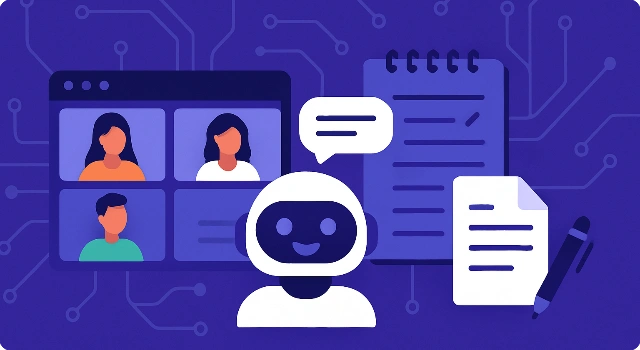








Meetings are at the heart of collaboration—but they often move too fast to catch everything. AI meeting assistants solve this by recording, transcribing, and summarizing your calls in real time. With features like searchable transcripts, action-item tracking, and integrations with calendars and CRMs, they ensure nothing slips through the cracks.
What Is an AI Meeting Assistant?
An AI meeting assistant is a tool that records, transcribes, and summarizes conversations in real time. By capturing key points, tasks, and decisions, these assistants make meetings more productive and ensure no detail is lost. They integrate with platforms like Zoom, Teams, and Slack, providing searchable transcripts and actionable insights for teams of any size.
How We Choose Best AI Meeting Assistant Tools?
We actually used these tools in real meetings—sales calls, stand-ups, and client reviews—to see how they performed when things got messy: accents, crosstalk, screen-sharing, and fast decisions. We noted what worked, what didn’t, and how quickly each tool turned a raw conversation into something you can act on.
- Transcription & summary quality: Look for high accuracy with names, jargon, and timestamps, plus concise summaries that capture decisions and next steps—not just a wall of text.
- Action items & follow-ups: The best tools extract tasks, owners, and due dates automatically, and can push them to your PM/CRM so nothing is lost after the call.
- Integrations & exports: Check native support for Zoom, Meet, Teams, Slack, Notion, HubSpot, and CSV/PDF/Doc exports so notes land where your team already works.
- Privacy, security & compliance: Verify SOC 2/GDPR (and HIPAA if needed), data retention controls, SSO/SCIM, and clear policies around recording consent and data usage.
- Collaboration & customization: Shared agendas, templates, speaker tags, and editable highlights make it easier to align teams and tailor notes to your workflow.
- Automation & reliability: Look for auto-join or bot-free capture, calendar detection, robust uptime, and fast processing so summaries arrive when you need them.
- Pricing & limits: Compare free vs. paid tiers, transcription hours, storage caps, and seat-based pricing to ensure it scales with your team and budget.
We only recommend tools that met these criteria in testing—reliable, secure, and genuinely helpful—so you can choose with confidence and get more value out of every meeting.
Best AI Meeting Assistant Tools
Best for AI Meeting Summaries & Integrations
Fireflies.ai is an AI meeting assistant that records, transcribes, and summarizes conversations across major video platforms like Zoom, Teams, and Google Meet.
Key Features:
- Automatic meeting transcription and searchable notes.
- AI-generated summaries and highlights.
- Speaker identification, sentiment analysis, and engagement insights.
- Integrations with Slack, Notion, HubSpot, and other workflows.
Use cases:
- Sales teams capturing client call details.
- Managers creating shareable meeting notes.
- Teams analyzing conversations for insights and follow-ups.
Pricing:
Free basic plan; Pro and Business plans start at around $10–$19/user/month.
Verdict:
Fireflies.ai is one of the most versatile AI meeting assistants, offering rich integrations and detailed conversation intelligence.
Best for Live Transcription & Notes
Otter.ai provides real-time transcription, summaries, and AI agents that participate in meetings to answer questions and assist with follow-up tasks.
Key Features:
- Live transcription for virtual and in-person meetings.
- Automated meeting notes with action items and summaries.
- Otter AI Chat to query meeting content.
- Integrations with Google Meet, Zoom, and Microsoft Teams.
Use cases:
- Students transcribing lectures.
- Professionals needing searchable transcripts and notes.
- Teams wanting AI assistance for action items and tasks.
Pricing:
Free plan available; paid tiers from $10/user/month with advanced features.
Verdict:
Otter.ai remains a top choice for individuals and teams who want reliable transcription plus innovative AI agents for deeper productivity.
Best for Bot-Free AI Meeting Notes
Granola blends human note-taking with AI support, delivering polished meeting notes without bots joining your calls.
Key Features:
- Real-time AI note suggestions.
- Smart formatting and contextual enrichment.
- Custom templates for different meeting types.
- No extra participants needed—private workflow.
Use cases:
- Professionals who prefer hybrid human + AI notes.
- Teams seeking clean, organized documentation.
- Leaders who want summaries without bots present.
Pricing:
Free trial available; paid plans start from $15/month.
Verdict:
Granola is ideal for those who want AI-enhanced notes with a human touch, free from the clutter of bot recorders.
Best for Sales Insights & Analytics
Avoma is an AI meeting assistant offering transcription, analytics, and actionable insights for collaborative teams.
Key Features:
- Automatic transcription and summarization.
- Action item detection and follow-up reminders.
- Collaboration tools with shared meeting notes.
- Conversation intelligence dashboards for coaching.
Use cases:
- Sales and customer success teams analyzing calls.
- Managers reviewing meeting outcomes.
- Organizations improving internal collaboration.
Pricing:
Free plan available; paid plans start at $19/user/month.
Verdict:
Avoma stands out for its actionable analytics and coaching insights, making it great for sales-driven organizations.
Best for Inclusive & Balanced Meetings
Equal Time is an AI assistant designed to create more inclusive and balanced meetings by tracking speaking equity.
Key Features:
- Measures speaking time and participation balance.
- Real-time insights during meetings.
- Integrates with Zoom, Google Meet, and Teams.
- Post-meeting reports for continuous improvement.
Use cases:
- Leaders ensuring inclusive team discussions.
- HR and DEI teams tracking meeting fairness.
- Remote teams balancing speaking opportunities.
Pricing:
Pricing available on request; tailored for organizations.
Verdict:
Equal Time is unique in its focus on inclusivity, making it a valuable tool for organizations prioritizing equitable collaboration.
Best for Structured Agendas & Collaboration
Fellow combines AI assistance with collaborative meeting agendas and notes, prioritizing privacy and security.
Key Features:
- Shared agendas and collaborative notes.
- AI meeting summaries and follow-ups.
- Templates for recurring meetings.
- Privacy-focused data handling.
Use cases:
- Teams managing recurring syncs and standups.
- Managers building structured meeting agendas.
- Companies valuing secure meeting documentation.
Pricing:
Free tier available; Pro plans start at $7/user/month.
Verdict:
Fellow is an excellent choice for teams who want both structure and AI support without sacrificing security.
Best for Free Recording & Highlights
Fathom is an AI meeting assistant that records, transcribes, and highlights key parts of conversations automatically.
Key Features:
- Automatic recording and transcription.
- Highlight creation with a single click.
- Summaries and action items after meetings.
- Integrations with CRM and productivity tools.
Use cases:
- Individuals needing reliable free transcription.
- Teams sharing summarized meeting highlights.
- Businesses streamlining meeting follow-up tasks.
Pricing:
Generous free plan; team plans start at $15/user/month.
Verdict:
Fathom offers simplicity and value, especially for users looking for strong features without high costs.
Best for Enterprise-Grade AI Meeting Support
Read AI enhances meetings with transcription, summaries, and AI-powered search across conversations, chats, and emails.
Key Features:
- Real-time transcription in over 20 languages.
- Smart summaries, topics, and action items.
- Unified AI search across meetings and communication tools.
- Compliance with SOC 2, GDPR, and HIPAA.
Use cases:
- Teams needing multi-language support.
- Enterprises requiring strict compliance.
- Businesses centralizing communication data.
Pricing:
Free plan available; premium tiers from $15/user/month.
Verdict:
Read AI is a robust solution for organizations that need secure, compliant, and multilingual AI meeting support.
Best for Automated Meeting Workflows
MeetGeek automates meeting workflows by recording, transcribing, and generating personalized summaries.
Key Features:
- Automatic transcription and summaries.
- Customizable templates for notes.
- Integrations with CRM and task management tools.
- Pre-meeting preparation and post-meeting automation.
Use cases:
- Project managers keeping track of action items.
- Sales teams syncing notes to CRM.
- Busy professionals automating meeting prep and follow-up.
Pricing:
Free basic plan; Pro plans start from $19/user/month.
Verdict:
MeetGeek excels at end-to-end meeting automation, helping teams save time before and after meetings.
Best for Knowledge Graph Meeting Capture
Mem is an AI workspace with voice capture and knowledge graph capabilities, turning meetings into structured, searchable notes.
Key Features:
- Bot-free recording directly from your device.
- Structured note-taking with AI assistance.
- Knowledge graph linking meeting content.
- AI chat for querying past conversations.
Use cases:
- Professionals wanting searchable, connected notes.
- Teams building a knowledge base from meetings.
- Users preferring bot-free AI capture.
Pricing:
Free basic version; advanced features under paid plans.
Verdict:
Mem is great for users who want more than meeting transcription—offering a knowledge-centric workspace for lasting insights.
Best for Notion-Integrated Meeting Notes
Notion integrates AI meeting capture into its workspace, embedding notes, summaries, and tasks directly into collaborative documents.
Key Features:
- Meeting notes automatically generated with AI.
- Integrated tasks and project management.
- Collaboration with shared pages and comments.
- Templates for agendas, notes, and follow-up tracking.
Use cases:
- Teams already using Notion for workflows.
- Project managers integrating meetings with tasks.
- Companies centralizing notes and documentation.
Pricing:
Free plan available; paid tiers from $8/user/month.
Verdict:
Notion is perfect for those embedded in its ecosystem, turning meetings into living documents tied to broader projects.
Final Thoughts
AI meeting assistants are transforming how teams work together. Whether you need accurate transcripts, inclusive participation tracking, or automated follow-ups, there’s a tool for you. Investing in the right assistant ensures meetings are more productive, actionable, and less stressful.
FAQ About Best AI Meeting Assistant Tools
Can AI meeting assistants join Zoom or Teams calls?
Yes, most integrate directly with Zoom, Microsoft Teams, and Google Meet.
Do they provide real-time transcription?
Many offer live transcription so you can follow along during the meeting.
Are these tools secure?
Leading options comply with GDPR, SOC 2, and even HIPAA for sensitive industries.
Do they generate summaries and action items?
Yes, AI-powered assistants can highlight key points, tasks, and decisions automatically.