
Best AI Chatbot Tools in 2026
The Most Popular AI Chatbots for Everyday Conversations and Assistance
AI chatbot tools enable instant, helpful conversations at scale. Here are the best options for customer support, marketing, and onboarding.
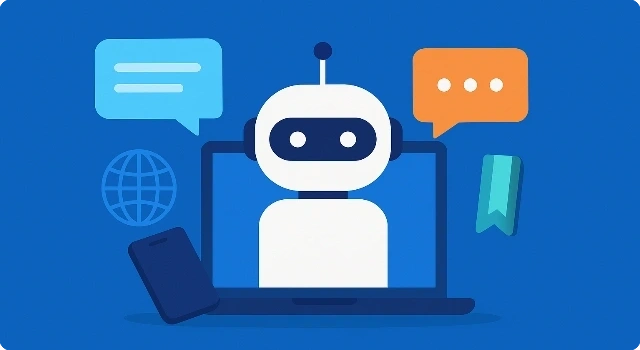










AI chatbots have gone from simple Q&A bots to powerful conversational partners. Whether you need help researching, writing, roleplaying, or just chatting, today’s best AI chatbots are more natural, responsive, and versatile than ever. From household names like ChatGPT and Claude to newer platforms like Pi and Perplexity, these tools are shaping the way people interact with technology in 2026.
What Is an AI Chatbot?
An AI chatbot is a conversational tool powered by artificial intelligence that can understand natural language and respond in real time. Unlike older scripted bots, modern AI chatbots use large language models to generate human-like answers, assist with research, provide companionship, and even roleplay characters. They’re available on mobile apps, browsers, and integrated into everyday platforms, making them accessible to anyone who wants a digital conversation partner.
How We Choose Best AI Chatbot Tools?
To make this list accurate and helpful, we focused on AI chatbots that are:
- Widely used and popular – strong user bases and real-world adoption.
- Accessible to consumers – easy to use without needing coding or enterprise systems.
- Regularly updated – keeping pace with the latest AI advancements.
- Diverse in style – from professional assistants to roleplay companions.
Best AI Chatbot Tools
Best for Everyday AI Conversations
ChatGPT by OpenAI is a versatile AI chatbot for everyday conversations, writing help, brainstorming, and problem‑solving. It’s intuitive on web and mobile and supports a wide range of tasks.
Key features
- High‑quality conversational responses and creative writing
- Strong reasoning and step‑by‑step explanations
- Supports document/chat history for ongoing projects
- Plugins / extensions and app integrations (availability may vary)
- Multimodal prompts and outputs on supported plans
Pros
- Excellent balance of creativity and usefulness
- Easy to use with a low learning curve
- Large community, tips, and examples
Cons
- Advanced features may require paid plans
- Can produce confident but incorrect answers without checking
Best for: General everyday assistance, drafting, learning, and brainstorming.
Best for Clear, Safe Responses
Claude by Anthropic focuses on helpful, harmless, and honest conversations. It shines with long, careful replies that feel clear, considerate, and reliable.
Key features
- Thoughtful, safety‑first conversational style
- Great at summarization and long‑form editing
- Handles complex instructions and multi‑step tasks
- Document upload for analysis on supported plans
Pros
- Clear, organized answers with strong reasoning
- Excellent at summaries and sensitive topics
- Tone feels natural and respectful
Cons
- Some advanced capabilities gated to paid tiers
- Less variety of third‑party add‑ons vs. others
Best for: Research, summarizing long content, and careful, well‑structured replies.
Best for Google Integration
Gemini (Google) is a consumer chatbot that blends creative assistance with search‑adjacent knowledge and Google ecosystem conveniences.
Key features
- Works alongside Google services and apps
- Useful for brainstorming, drafting, and quick lookups
- Image understanding and generation on supported plans
- Mobile app and browser access
Pros
- Convenient if you already use Google tools
- Fast answers for everyday questions
- Solid creative assistance
Cons
- Depth and accuracy can vary by topic
- Some features depend on region and plan
Best for: Users embedded in Google’s ecosystem who want an easy, familiar assistant.
Best for Productivity in Microsoft Apps
Microsoft Copilot brings conversational AI into Windows, Edge, and Microsoft 365 apps for chat, drafting, and productivity tasks.
Key features
- Integrated in Windows, Edge, and Microsoft 365 experiences
- Helps draft emails, documents, and summaries
- Web‑connected answers via Bing integration
- Mobile and desktop access
Pros
- Frictionless if you use Microsoft apps daily
- Great for quick document and email drafting
- Handy sidebar experiences in Edge
Cons
- Some features are tied to specific Microsoft plans
- Interface and behavior can differ across contexts
Best for: Students and professionals who live in Microsoft Office and Windows.
Best for Research with Sources
Perplexity AI combines an AI chat interface with live web search and citations, making it ideal for quick fact‑finding and source‑backed responses.
Key features
- Real‑time web search with inline citations
- Follow‑up questions for deeper exploration
- Concise summaries that link to sources
- Mobile apps and browser extensions
Pros
- Strong for research and verification
- Source transparency builds trust
- Fast, direct answers
Cons
- Less creative than story‑ or roleplay‑focused bots
- Quality depends on indexed sources
Best for: Research, quick lookups, and answers with citations.
Best for Personal Companionship
Pi by Inflection AI is a gentle, supportive companion chatbot built for daily chats, reflection, and personal growth.
Key features
- Warm, empathetic conversational tone
- Helpful prompts for reflection and goal‑setting
- Light reminders and check‑ins
- Accessible on web and mobile
Pros
- Feels personable and supportive
- Great at keeping conversations going
- Low pressure, relaxing to use
Cons
- Not aimed at technical or research‑heavy tasks
- Limited customization compared with builders
Best for: Friendly, everyday conversations and light coaching.
Best for Roleplay & Characters
Character.AI lets you chat with countless user‑created characters and personalities for entertainment, learning, and roleplay.
Key features
- Huge library of characters and styles
- Create and customize your own characters
- Immersive roleplay and dialogues
- Mobile apps for on‑the‑go chats
Pros
- Highly engaging and fun
- Great variety and community content
- Easy to personalize
Cons
- Focuses more on roleplay than factual accuracy
- Quality varies between characters
Best for: Entertainment, roleplay, and character‑driven chats.
Best for Emotional AI Companions
Replika is an AI companion designed for ongoing relationships and emotional support, with avatars and customizable personalities.
Key features
- Personalized AI companion and avatar
- Mood tracking and wellness‑oriented prompts
- Long‑term memory of chats
- Mobile apps with immersive features
Pros
- Strong focus on emotional connection
- Customizable look and personality
- Supportive prompts and activities
Cons
- Not ideal for research or factual tasks
- Some features are paywalled
Best for: Users seeking companionship and supportive conversations.
Best for Marketing & Content Teams
Jasper Chat helps marketers and creators brainstorm ideas, refine messaging, and turn prompts into on‑brand content.
Key features
- Marketing‑oriented prompts and templates
- Brand voice tools (in the broader Jasper suite)
- Collaborative workflows for teams
- Chat interface for rapid drafts and edits
Pros
- Great for content and campaign ideation
- Useful brand consistency features
- Time‑saving templates
Cons
- Best value if you use Jasper’s full suite
- Less research‑oriented than search‑driven bots
Best for: Marketing teams and creators needing fast, on‑brand drafts.
Best for Search-Linked Answers
Chatsonic by Writesonic is a creative chatbot that can discuss ideas, draft content, and generate images from prompts.
Key features
- Conversational writing and brainstorming
- Image generation from text prompts
- Web‑aware responses on supported plans
- Extensions across browser and apps
Pros
- Strong creative toolkit for visuals and copy
- Easy to use for quick drafts
- Versatile for social and blog content
Cons
- Output may need brand‑specific editing
- Research depth varies
Best for: Creators who want chat plus built‑in image generation.
Best for Search-Linked Answers
YouChat pairs a conversational interface with the You.com search engine for quick, sourced answers.
Key features
- Conversational search with references
- Follow‑up prompts for deeper info
- Lightweight and fast for everyday queries
- Browser‑friendly experience
Pros
- Simple, no‑frills chat‑search combo
- Helpful links back to sources
- Good for casual lookups
Cons
- Less capable for complex creative tasks
- May be less consistent than larger players
Best for: Quick conversational searches with reference links.
Best for Access to Multiple Chatbots
Poe by Quora is a single app that gives you access to multiple popular chatbots, letting you compare models and pick your favorite for each task.
Key features
- Access multiple AI models in one place
- Switch bots for different tasks and tones
- Share prompts and results with the community
- Mobile apps and web access
Pros
- Convenient hub for trying many chatbots
- Easy to compare responses side by side
- Good for exploring strengths/limits of each model
Cons
- Features depend on which model you use
- Some models or usage may require payment
Best for: People who want a one‑stop place to test and use multiple chatbots.
More AI Chatbot Options
Beyond the top consumer chatbots, there are also specialized bots for customer service, business, and enterprise use. Platforms like Intercom, Drift, and Zendesk Answer Bot help companies automate support and sales conversations. If you’re looking for chatbots tailored to business needs, these are worth exploring in addition to the consumer chatbots listed above.
Final Thoughts
FAQ About Best AI Chatbot Tools
Are AI chatbots free to use?
Most offer free versions with limited features, while advanced features or faster models are available on paid plans.
Can AI chatbots replace human interaction?
No, they complement human interaction. While chatbots can simulate conversation and provide assistance, they don’t replace emotional or professional human connections.
