Best AI Calendar for Students in 2026
Stay on Top of Classes and Deadlines with the Best AI Calendar Apps for Students
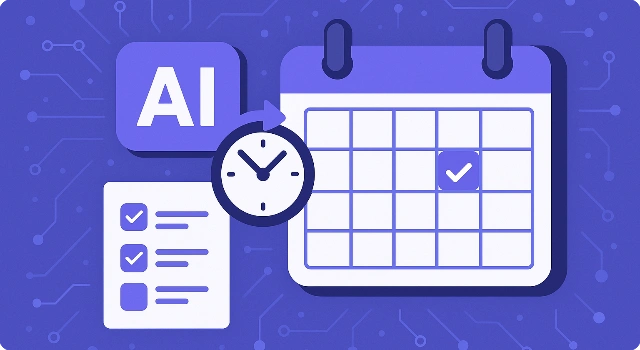
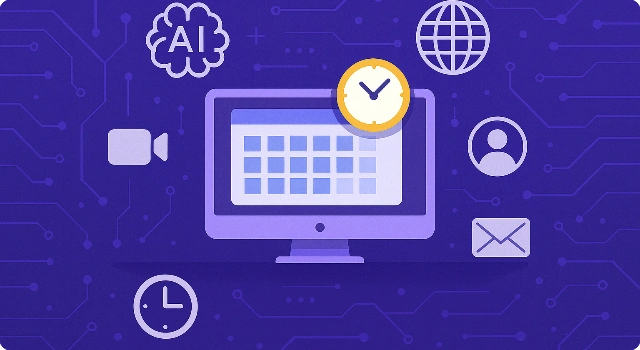
This guide ranks the best AI calendar apps for students, comparing features, free plans, and platforms to help you organize classes, study time, and deadlines. Learn how each option handles time blocking, reminders, and automation so you can quickly pick the right fit.








Classes, labs, group projects, part-time shifts, and a social life—no wonder your calendar looks like a game of Tetris. The good news: today’s best AI calendar apps for students don’t just show you what’s next; they actually help plan it. These tools can auto-schedule study blocks, protect time before deadlines, and nudge you when it’s time to switch from scrolling to studying.
In this guide, we’ll rank student-friendly options—from free, familiar picks like Google Calendar (with smart add-ons) to AI-first planners that rearrange your day on the fly. You’ll see what each app does well, where it falls short, and which one fits your classes, budget, and workflow so you can spend less time organizing and more time getting things done.
What Is an AI Calendar?
An AI calendar is a smart scheduling tool that goes beyond showing dates and times. Instead of just recording events, it uses artificial intelligence to automatically plan tasks, block study sessions, reschedule when conflicts come up, and send timely reminders. This makes it far more dynamic than a traditional calendar.
For students, an AI calendar works like a personal assistant—helping manage classes, assignments, group projects, and personal activities in one place. By learning your priorities and adjusting your schedule as things change, it ensures you stay organized and make the most of your study time without the stress of manual planning.
How We Choose Best AI Calendar for Students?
We didn’t just round up popular apps—we focused on what actually matters for student life. Each AI calendar here was reviewed with the real needs of students in mind, from balancing coursework to keeping up with part-time jobs and social plans. The goal was simple: find tools that make staying organized less stressful and more effective.
- Affordability: Students need budget-friendly options, so we prioritized calendars with free plans or low-cost upgrades.
- Task & deadline management: The right tool should make it easy to track assignments, projects, and exams without extra effort.
- Ease of use: We chose apps with clean interfaces and simple setups that won’t eat into study time.
- AI features: Smart scheduling, automatic rescheduling, and intelligent reminders were key to separating basic calendars from true AI helpers.
- Mobile & desktop sync: A calendar isn’t useful if it doesn’t update everywhere, so we made sure each option works seamlessly across devices.
With these criteria, we narrowed down the list to the most practical and reliable AI calendars that genuinely fit into a student’s routine.
Best AI Calendar for Students
Best Overall AI Calendar for Students
Motion is an AI-first calendar and planner that automatically schedules your tasks, classes, meetings, and study blocks. It’s ideal for busy students who want a hands-off way to stay ahead of assignments and shifting deadlines.
Key features:
- Auto-scheduling: Converts tasks and deadlines into calendar blocks and reshuffles them when plans change.
- Deadline protection: Prioritizes urgent items and protects time leading up to due dates.
- Unified calendar: Combines multiple calendars (school, work, personal) into a single view.
- Focus mode: Generates distraction-free sessions with clear time boxes for studying.
- Cross-platform apps: Works on web, desktop, and mobile for on-the-go planning.
Pros:
- Powerful automation: Saves time by intelligently placing tasks around classes and events.
- Great for deadline-heavy semesters: Keeps projects moving even when schedules shift.
- Clear daily plan: Time-blocking makes study plans concrete and actionable.
Cons:
- No free plan: Only a free trial; ongoing use requires a subscription.
- Learning curve: Works best after you feed it accurate tasks and deadlines.
Use cases:
- Undergrads juggling labs, lectures, clubs, and part-time work.
- Graduate students balancing research, seminars, and writing deadlines.
- Study groups coordinating shared milestones and check-ins.
Free Plan: No free plan; free trial available.
Pricing:
- AI Workplace: $29/month billed annually (1 seat, includes monthly AI credits).
- Team tiers available at higher seat counts.
Verdict: Motion is the most hands-off way to keep a high-pressure semester on track. If you want an AI that actively rearranges your day around deadlines, this is a top pick—especially when you’re managing many courses and commitments.
Best Free AI Calendar for Students
Notion Calendar (formerly Cron) is a free, minimalist calendar that connects tightly with Notion for notes, tasks, and projects—perfect for students already organizing coursework inside Notion.
Key features:
- Free & connected: Native integration with Notion pages, tasks, and databases.
- Natural language scheduling: Quickly add classes and study sessions with plain English.
- Video meeting integrations: Create Zoom or Google Meet links directly from events.
- Cross-platform: Desktop and mobile apps for fast, clean calendar views.
Pros:
- $0 cost: Excellent free option for students.
- Notion-native workflows: Great if your syllabi, readings, and tasks live in Notion.
- Simple, distraction-free UI: Easy to learn and quick to use.
Cons:
- Less automation: Lacks deep auto-scheduling compared with Motion or Reclaim.
- Task depth depends on Notion setup: Best when paired with a solid Notion system.
Use cases:
- Students running a Notion-based class planner or dashboard.
- Lightweight scheduling for lectures, office hours, and study blocks.
- Group projects coordinating meetings with shared Notion pages.
Free Plan: 100% free for all users.
Pricing:
- Notion Calendar: Free.
- Notion (optional): Free plan available; paid tiers add collaboration and advanced features.
Verdict: If you already use Notion for school, Notion Calendar is a seamless, free way to visualize your week. It’s not as automated as AI schedulers, but it’s fast, elegant, and student-friendly.
Best for Study Time Blocking
Reclaim AI is an AI time-blocking assistant that automatically defends study time, routines, breaks, and meetings on your existing calendar (Google or Outlook). It’s excellent for students who need structured focus without micromanaging their day.
Key features:
- Smart time blocking: Auto-creates study sessions and reschedules them around new events.
- Habit scheduling: Protects recurring routines like reading, workouts, or language practice.
- Priority-aware: Adjusts blocks based on urgency and deadlines.
- Multiple calendars: Syncs school, personal, and work calendars in one view.
Pros:
- Great free tier: Enough to test time blocking for a semester.
- Works with Google & Outlook: No need to change your calendar provider.
- Education discount: 50% off for eligible students and educators (first 12 months).
Cons:
- Setup takes thought: Best results require accurate goals and deadlines.
- Less “all-in-one” than Motion: Focuses on time-blocking more than tasks/docs.
Use cases:
- Defending daily focus blocks for problem sets or exam prep.
- Building weekly study habits that actually stick.
- Coordinating class, work shifts, and extracurriculars on one calendar.
Free Plan: Yes — a free forever Lite plan to start time blocking.
Pricing:
- Starter: $10 per seat/month (adds more scheduling range, focus goals, links).
- Business: Higher tiers with advanced controls and collaboration.
- Education discount: 50% off paid plans for 12 months (eligibility applies).
Verdict: Reclaim AI is a fantastic student pick for automated time blocking on the tools you already use. Start free, then upgrade (often with an education discount) if you want deeper controls.
Best Familiar Option
Google Calendar is the most widely used calendar among students thanks to its free access, reliability, and school integration. While the core app is simple, pairing it with AI add-ons like Reclaim, Zapier, or Gemini turns it into a smart study planner that can automate scheduling, block time for assignments, and sync deadlines across tools.
Key features:
- Free and universal: Included with every Google account, already adopted in most schools and universities.
- AI integrations: Add-ons like Reclaim AI help defend study time, while Zapier/Gemini can auto-create events and reminders from emails or tasks.
- Cross-device sync: Works seamlessly across web, Android, and iOS devices.
- Collaboration-ready: Share calendars easily with classmates, teachers, or project groups.
Pros:
- Widely used: No learning curve; most students already know it.
- Completely free: Great for students who need zero-cost scheduling.
- Flexible add-ons: Customize with AI features you actually need.
Cons:
- Base app is basic: Core Google Calendar lacks AI scheduling by itself.
- AI requires setup: To get the most value, students must connect third-party integrations.
Use cases:
- Students already using Google accounts for email, Docs, and classroom tools.
- Turning emails into automatic calendar events with Zapier or Gemini.
- Adding Reclaim AI to block study sessions and reschedule around new classes or meetings.
Pricing:
- Google Calendar: Always free.
- AI add-ons: Reclaim AI, Zapier, and others offer free plans with optional paid upgrades (starting from $10/month for advanced features).
Verdict: On its own, Google Calendar is simple but reliable. With AI add-ons, it transforms into a powerful, flexible planner for students who want automation without leaving the Google ecosystem. It’s the most budget-friendly path to an AI-powered study calendar.
Other Great AI Calendars for Students
If you don’t find your perfect fit in our top picks, there are still plenty of solid options worth considering. These AI calendars and planners may not be the very best for every student, but they each bring something unique to the table and could be exactly what you need:
- Fantastical: Perfect for students in the Apple ecosystem, with a polished interface and natural language event creation.
- Morgen: A unified calendar and task manager with a generous free plan, great for keeping all commitments in one place.
- Akiflow: Combines tasks and calendar views into a single workspace, ideal for students who like an all-in-one solution.
- Sunsama: A daily planner built around focus and structure, helping you turn overwhelming schedules into manageable plans.
- Todoist + AI Scheduling: Best for students who think in to-do lists first and want AI-powered scheduling layered on top.
These tools aren’t one-size-fits-all, but depending on your study habits and tech preferences, they might be exactly the right match.
Which AI Calendar Is Right for You as a Student?
With so many great options, the best AI calendar depends on your needs, budget, and study style. Here’s a quick comparison to help you decide:
| Tool | Free Plan | Pricing | Platforms |
|---|---|---|---|
| Motion | No (free trial only) | From $29/month | Web, iOS, Android |
| Notion Calendar | Yes | Free (part of Notion ecosystem) | Web, Mac, Windows, iOS, Android |
| Reclaim AI | Yes | From $10/month (50% student discount available) | Web (integrates with Google & Outlook) |
| Google Calendar + AI Add-ons | Yes | Free (add-ons may cost extra) | Web, iOS, Android |
Tips on choosing:
- Start free: If budget is tight, begin with Notion Calendar or Google Calendar and add AI tools later.
- Go all-in with AI: Motion is best if you want full automation and don’t mind paying for it.
- Focus on time-blocking: Reclaim AI is ideal if you prefer structured study sessions that adapt automatically.
- Task-first or schedule-first: If you think in tasks, try Notion Calendar or Todoist + AI; if you think in schedules, Motion or Reclaim will suit you better.
By weighing cost, features, and your personal workflow, you’ll find the AI calendar that makes managing student life a whole lot easier.
Final Thoughts
AI calendars help students save time, stay on top of deadlines, and balance both study and life. By taking the stress out of scheduling, they make it easier to focus on what really matters—learning and personal growth.
If you’re just getting started, begin with free options like Notion Calendar, Cron, or Google Calendar. Once you’re comfortable and want more automation, consider upgrading to premium tools such as Motion or Reclaim AI for deeper AI-powered scheduling.
FAQ About Best AI Calendar for Students
Are AI calendars worth it for students?
Yes. AI calendars save time by automatically scheduling classes, deadlines, and study blocks, making it easier to stay organized without constant manual planning.
Which free AI calendar is best for students?
Notion Calendar and Google Calendar (with AI add-ons) are the top free choices. Both work across devices and offer enough functionality to cover most student needs without extra cost.
Can AI calendars help with exam prep and study sessions?
Absolutely. Tools like Reclaim AI and Motion can block out study time, adjust sessions if plans change, and remind you to prepare well before exam week.
Do AI calendars work on both phone and laptop?
Yes. Most AI calendars sync across web, desktop, and mobile apps, so your schedule updates in real time whether you’re on a laptop, tablet, or phone.
What’s the difference between AI task managers and AI calendars?
AI task managers focus on organizing to-do lists, while AI calendars place those tasks directly into a schedule. Many students benefit from combining both—planning tasks in a list, then letting the calendar assign time for them.