Playground AI

Playground AI

Free AI-powered image generator and editor

Related Tool Collections

Playground AI Alternatives

What Is Playground AI?

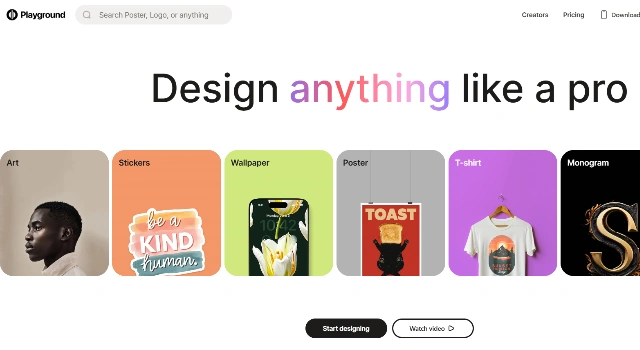
Playground AI is a browser‑based image generator and editor powered by Stable Diffusion. It supports inpainting, style tweaks, and batch creation with a friendly canvas.

Solid choice for fast, flexible AI artwork in the browser.

Key Features

Playground AI is favored for browser‑based creation because of:

  • Canvas Editing – Inpainting and outpainting with precise masks.
  • Style Presets – Quickly switch aesthetics for faster iteration.
  • Batch Generation – Produce multiple variations efficiently.
  • Reference Images – Guide outputs with example pictures.
  • Generous Free Tier – Plenty of credits for regular usage.

Who Is Playground AI Best For?

Playground AI is best for people who want a browser‑based canvas and generous free usage:

  • Designers iterating quickly with inpainting/outpainting
  • Marketers making campaign visuals in the browser
  • Students and hobbyists learning image generation
  • Small teams needing a free‑friendly tool

Pros

  • Browser Canvas – Mask‑based inpainting/outpainting in the cloud.
  • Generous Free Tier – Plenty of credits for regular use.
  • Batch Variations – Generate many options quickly.
  • Style Presets – Swap aesthetics with one click.
  • No Installs – Works anywhere with a browser.

Cons

  • Daily Caps – Free credits and queues limit throughput.
  • Model Scope – Mostly Stable Diffusion under the hood.
  • Account Needed – Sign‑in required to save and manage.
  • Peak Slowdowns – Busy times can delay jobs.
  • No Native Video – Focused on images only.

Final Verdict: Is Playground AI Worth It?

Playground AI offers a generous browser canvas with Stable Diffusion power. It’s a balanced pick for students and creators who want mask‑based edits and batch variations without installing heavy software.

How to Use Playground AI: Step by Step

Create in the browser with masks and presets.

  1. Sign in to Playground AI and pick a model/style preset.
  2. Enter a prompt; use inpainting/outpainting to refine areas.
  3. Batch variations, then download the best results.

FAQ

Is Playground AI free?
Yes. A generous free tier is available; paid plans increase limits.

Which models does it use?
Primarily Stable Diffusion variants with platform enhancements.

Can I inpaint/outpaint?
Yes. Use the mask tools on the browser canvas.

Is there anything to install?
No. It runs in your browser—log in and start creating.

Can I use images commercially?
Check Playground AI’s current terms for licensing details.

Scroll to Top