Google Sheets

Google Sheets

Cloud-based spreadsheet tool for data analysis and collaboration.

What Is Google Sheets?

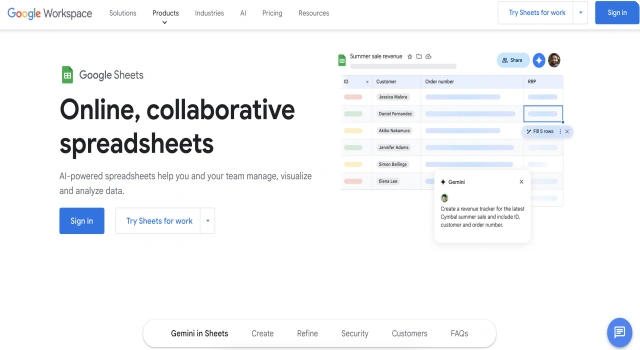
Google Sheets is a cloud-based spreadsheet application that enables users to create, edit, and share spreadsheets online. It's widely used for data entry, analysis, and collaborative workflows. With real-time updates, add-ons, and integration with other Google tools, it supports everything from simple tasks to complex business operations.

Key Features

Google Sheets offers powerful tools for organizing and analyzing data.

  • Real-time collaboration: Multiple users can edit and comment simultaneously
  • Built-in functions: Includes hundreds of formulas for calculations, logic, and data processing
  • Google Workspace integration: Connect seamlessly with Docs, Slides, Forms, and Gmail
  • Add-ons and scripting: Extend functionality with Apps Script or marketplace add-ons
  • Charts and visuals: Create dynamic graphs and pivot tables for insights
  • Cloud access and history: Automatically saved with version tracking and sharing controls

Who Is Google Sheets Best For?

Google Sheets suits users who need flexible, collaborative spreadsheet tools.

  • Students: Track study progress and assignments
  • Small businesses: Manage budgets and projects
  • Analysts: Visualize and filter datasets
  • Content creators: Plan and organize publishing calendars
  • Teams: Collaborate on shared data in real time

Pros

  • Free and cloud-based
  • Excellent collaboration tools
  • Integrates with many apps
  • Accessible from any device
  • Supports advanced formulas and scripts

Cons

  • Can be slower with large datasets
  • Limited offline functionality
  • Fewer advanced features than Excel
  • Needs internet for real-time updates
  • Add-ons can sometimes be buggy'

Final Verdict: Is Google Sheets Worth It?

Google Sheets is a reliable and user-friendly tool for managing data collaboratively online. It’s perfect for teams and individuals needing accessible, flexible spreadsheet solutions. While it may lack some of Excel’s power for heavy analytics, its cloud-first design makes it a go-to productivity tool.

How to Use Google Sheets: Step by Step

Follow these steps to get started with Google Sheets:

  1. Sign in to your Google account and visit sheets.google.com
  2. Click the + to start a new spreadsheet
  3. Enter data manually or import a file (CSV, XLSX, etc.)
  4. Use built-in formulas to process your data
  5. Share the sheet with collaborators using the 'Share' button
  6. Add charts, pivot tables, or conditional formatting as needed
  7. Access version history and track changes easily

FAQ

Can I Share Editable Sheets Securely?
Yes. When sharing, you can limit collaborators to view-only, commenting, or full edit access and receive alerts on changes.

Can Google Sheets Handle Large Datasets?
Google Sheets works well for most data tasks, but performance may slow with very large datasets. For heavy-duty analysis, consider tools like Excel or BigQuery.

Does Google Sheets Support Collaboration?
Absolutely. Multiple users can edit, comment, and suggest changes at the same time, making it a great tool for teamwork.

Scroll to Top