MindNode

Related Tool Collections
What Is MindNode?
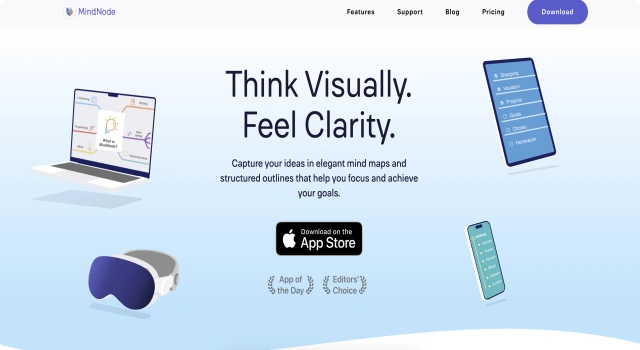
MindNode is a visually driven mind mapping app that helps users capture, organize, and connect their ideas. Designed for Mac and iOS, it turns thoughts into structured diagrams, making it perfect for brainstorming, planning, and creative thinking. Its intuitive interface and iCloud sync make it ideal for personal and professional use.
Key Features
MindNode enhances idea capture and organization through visual and focused tools.
- Mind Mapping: Create branching ideas with drag-and-drop nodes
- Outlining: Switch between visual maps and structured outlines
- Quick Entry: Add ideas instantly with minimal clicks
- Focus Mode: Work without distraction by zooming into a specific branch
- Tags and Notes: Add metadata and descriptions for better organization
- iCloud Sync: Access your maps across Mac and iOS devices
Who Is MindNode Best For?
MindNode is great for visual thinkers and those who prefer structured brainstorming.
- Students: Organize study notes and exam prep
- Writers: Plan outlines and storyboards
- Professionals: Map out projects and presentations
- Creatives: Capture and connect brainstorming ideas
- Planners: Visualize to-do lists and goals
Pros
- Clean, intuitive design
- Fast syncing across Apple devices
- Helpful focus and quick entry tools
- Lightweight yet powerful
- Affordable premium plan
Cons
- Only available on macOS and iOS
- Limited export options on free plan
- Not ideal for real-time team collaboration
- No web or Android version
- Requires premium for full features'
Final Verdict: Is MindNode Worth It?
MindNode is a beautifully designed mind mapping tool perfect for Apple users. Its simplicity, speed, and visual structure make it a go-to choice for anyone who values clarity and creativity in planning or brainstorming. While limited to Apple devices, it's one of the best tools in its category.
How to Use MindNode: Step by Step
Here’s how to get started with MindNode:
- Download MindNode from the Mac App Store or iOS App Store
- Launch the app and start a new mind map
- Use Quick Entry to rapidly jot down ideas
- Expand with branches, tags, and notes
- Switch between mind map and outline views
- Use Focus Mode to concentrate on key areas
- Sync your work via iCloud and export as needed
FAQ
Can MindNode Sync Across Devices?
Yes, MindNode syncs via iCloud across Mac, iPhone, iPad, and Apple Vision Pro using MindNode Plus subscriptions.
What Are Visual Tags In MindNode?
Visual Tags let you categorize and highlight nodes in your map, improving navigation and focus within complex diagrams.
Is MindNode Free?
MindNode offers a free editor version, but unlocking advanced features requires a MindNode Plus subscription.