QuillBot

QuillBot

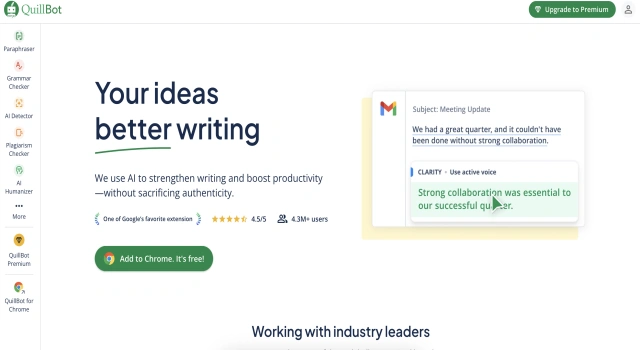
QuillBot is a paraphrasing tool that rewrites and enhances your text.

What Is QuillBot?

QuillBot is an AI-powered writing tool that specializes in paraphrasing, grammar checking, summarizing, and more. It's especially popular among students and professionals who need to rewrite content, improve clarity, or create citations quickly. The tool integrates easily into writing workflows via browser extensions and Microsoft Word add-ins.

Key Features

QuillBot offers essential writing tools with a focus on clarity and originality.

  • Paraphraser: Rewrites content in multiple styles to suit tone or purpose
  • Grammar checker: Instantly fixes spelling and grammar errors
  • Summarizer: Condenses long text into key points or paragraphs
  • Citation generator: Quickly generate citations in APA, MLA, and Chicago styles
  • Plagiarism checker: Scan for copied content (Premium)
  • Co-writer: Compose documents using real-time AI suggestions

Who Is QuillBot Best For?

QuillBot is best for users who need help refining or rewriting content.

  • Students: Improve assignments, generate citations, avoid plagiarism
  • Researchers: Summarize and rewrite source material
  • Content writers: Create variations of blog and article drafts
  • ESL learners: Enhance grammar and vocabulary
  • Professionals: Refine business writing and documentation

Pros

  • Excellent paraphrasing capabilities
  • Free plan covers core functions
  • Easy to use and integrate
  • Multiple writing tools in one
  • Great for non-native English speakers

Cons

  • Word limits on free plan
  • Some rewrites may sound robotic
  • Plagiarism checker only in premium
  • Limited creative writing support
  • Co-writer tool less advanced than full AI editors

Final Verdict: Is QuillBot Worth It?

QuillBot is a versatile and user-friendly writing tool, particularly well-suited for paraphrasing, summarizing, and grammar correction. While some premium features are locked, its free plan is generous, making it a great starting point for students, professionals, and ESL learners.

How to Use QuillBot: Step by Step

Get started with QuillBot in just a few steps:

  1. Visit quillbot.com and sign up for a free account
  2. Paste your text into the Paraphraser or Summarizer
  3. Choose a paraphrasing mode or summary length
  4. Review suggestions and copy the revised text
  5. Use the Grammar Checker for further refinement
  6. Generate citations or scan for plagiarism if needed
  7. Try the Co-Writer to draft new content collaboratively

FAQ

How Does QuillBot Work?
QuillBot offers tools like paraphrasing, summarization, grammar checking, plagiarism detection, citation generation, and tone analysis to improve writing.

Is QuillBot Safe To Use For Academic Writing?
Many users employ QuillBot similar to a thesaurus or writing aid, but using it without citations may raise plagiarism risks in academic settings.

Scroll to Top