Grammarly

Related Tool Collections
What Is Grammarly?
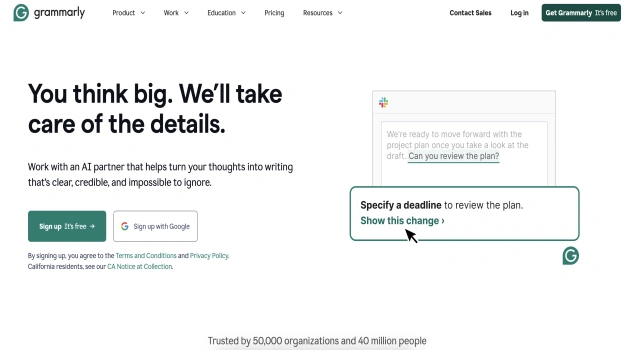
Grammarly is a widely used AI-powered writing assistant that helps users write clear, mistake-free, and engaging content. It checks for grammar, spelling, punctuation, tone, clarity, and even plagiarism. With tools for individuals, students, and businesses, Grammarly improves communication across emails, documents, and digital platforms.
Key Features
Grammarly offers comprehensive writing support for individuals and teams.
- Grammar and spelling checker: Real-time corrections for mistakes
- Clarity and style improvements: Suggestions to make writing concise and readable
- Tone detector: Analyze tone to match audience and intent
- GrammarlyGO: Generate and rewrite content with AI prompts
- Plagiarism checker: Scan content for originality (Premium)
- Integration with apps: Works across web, email, docs, and more
Who Is Grammarly Best For?
Grammarly is perfect for anyone who wants to improve their writing quality and accuracy.
- Professionals: Polished business communication
- Students: Academic writing and grammar help
- Writers and bloggers: Error-free and engaging content
- Teams: Consistent tone and clarity across messages
- ESL learners: Support for language accuracy and fluency
Pros
- Real-time grammar and tone suggestions
- Easy to use across platforms
- Strong free version
- AI content generator included
- Business features for style and tone
Cons
- Premium plan required for advanced tools
- May miss complex grammatical nuances
- GrammarlyGO outputs sometimes generic
- Limited creative writing support
- Internet connection required
Final Verdict: Is Grammarly Worth It?
Grammarly is one of the best all-around writing tools available. Its grammar checking, tone guidance, and AI writing support make it essential for students, professionals, and teams. Though premium features come at a cost, the value and usability are high for anyone serious about their writing.
How to Use Grammarly: Step by Step
Follow these steps to start improving your writing with Grammarly:
- Go to grammarly.com and sign up for a free account
- Install the browser extension or download the desktop/mobile app
- Start typing or paste text to receive real-time suggestions
- Review grammar, spelling, and tone feedback
- Use GrammarlyGO to rewrite or generate text with AI
- Upgrade to Premium for advanced features like plagiarism detection
- For teams, set up brand style guides and analytics
FAQ
Can Grammarly Be Used in Google Docs?
Yes, Grammarly offers a Chrome extension that works within Google Docs, highlighting errors and suggesting improvements in real-time.
Does Grammarly Offer AI Writing?
Yes, Grammarly launched an AI Writer feature that helps users generate essays, emails, social posts, and taglines using brief prompts.
Can Grammarly Accept Multiple Suggestions at Once?
Premium users can review and accept multiple suggestions at once in the editor, improving workflow efficiency.
Is Grammarly Accurate?
Grammarly uses advanced NLP to provide real-time feedback and tone adjustments, though it’s best used as a writing assistant, not sole authority.