Sudowrite

Sudowrite

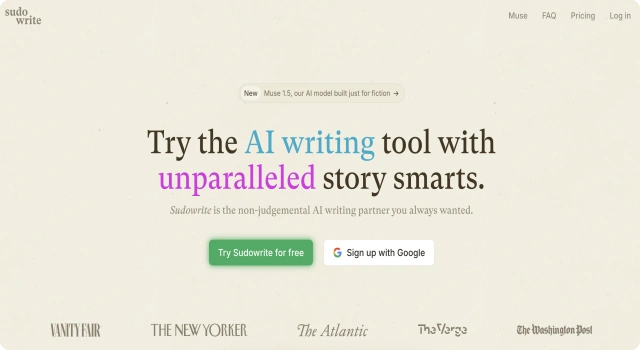
Sudowrite is a creative writing tool for fiction and storytelling.

What Is Sudowrite?

Sudowrite is an AI-powered creative writing assistant designed specifically for fiction writers. It helps authors brainstorm ideas, develop characters, build immersive worlds, and improve their writing with tools like rewrite, describe, and expand. Whether you're writing a novel, screenplay, or short story, Sudowrite offers inspiration and structure every step of the way.

Key Features

Sudowrite offers a unique suite of tools built for fiction writers.

  • AI story suggestions: Expand scenes or write entirely new sections
  • Character builder: Flesh out characters with detailed traits and relationships
  • Describe tool: Instantly add vivid, sensory-rich descriptions
  • Twist and expand tools: Add surprise or deepen existing ideas
  • Brainstorm canvas: Visually map out story structure
  • Style and tone feedback: Improve your writing with constructive suggestions

Who Is Sudowrite Best For?

Sudowrite is best for fiction writers and creatives looking for inspiration, support, and structure.

  • Novelists: Build scenes, worlds, and characters with AI help
  • Screenwriters: Develop plots and dialogues faster
  • Writing students: Explore story-building techniques
  • Bloggers and storytellers: Add flair and depth to narratives
  • Writers with block: Get unstuck and reignite creativity

Pros

  • Designed specifically for fiction writing
  • Intuitive and visually rich tools
  • Great for overcoming writer’s block
  • Offers detailed feedback and rewriting options
  • Helps with plot, characters, and tone

Cons

  • No free plan
  • Not suited for business or technical writing
  • Limited for non-fiction use cases
  • May feel restrictive for highly experienced writers
  • Web-only, no mobile app

Final Verdict: Is Sudowrite Worth It?

Sudowrite is a top-tier AI tool for fiction writers, offering both inspiration and structure for crafting compelling stories. Its creative features and user-friendly interface make it a must-have for storytellers, though it may not suit those writing nonfiction or looking for free access.

How to Use Sudowrite: Step by Step

Follow these steps to start writing creatively with Sudowrite:

  1. Go to sudowrite.com and sign up for a subscription
  2. Start a new project or import existing text
  3. Use 'Write' or 'Expand' to continue your story
  4. Select 'Describe' to add vivid details
  5. Use 'Brainstorm' or 'Canvas' to explore ideas visually
  6. Apply feedback and rewriting tools as you go
  7. Save or export your final story for publishing

FAQ

Is Sudowrite Good for Fiction Writers?
Yes. Sudowrite is designed for creative writing, helping fiction authors brainstorm, expand scenes, and explore alternate story paths.

Does Sudowrite Have a Mobile App?
No. Sudowrite currently does not offer a dedicated mobile app and primarily operates via web browsers.

Can I Use Sudowrite in Languages Other Than English?
Sudowrite’s interface and AI work best in English; non-English language support and nuances may be limited.

Does Sudowrite Have Accessibility or Privacy Options?
Sudowrite offers limited accessibility features; there is no public status page. Users should check privacy policies for data usage.

Scroll to Top