Zapier

Related Tool Collections
Zapier Alternatives
What Is Zapier?
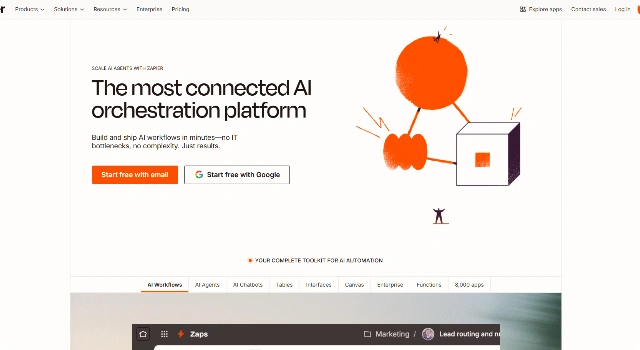
Zapier is an automation platform that connects thousands of apps so data and tasks move automatically. With Zapier AI, you can add reasoning steps and agents that browse, extract, and act across your stack.
Rather than replacing your task manager, Zapier augments it—keeping tools in sync and eliminating manual copy‑paste work.
Key Features
Zapier focuses on reliable, scalable automation:
- AI Actions & Agents: Insert AI reasoning into multi‑app workflows.
- 8,000+ Integrations: Link CRMs, task apps, spreadsheets, and chat.
- Tables & Interfaces: Create simple internal tools without code.
- Robust Ops: Error handling, retries, and detailed run logs.
Who Is Zapier Best For?
Zapier is best when you need to glue tools together:
- Ops and RevOps automating handoffs across apps.
- Support teams syncing tickets, tasks, and notifications.
- Builders prototyping internal tools and forms fast.
Pros
- Best‑in‑class app ecosystem and reliability.
- AI steps add intelligence to existing automations.
- Scales from simple zaps to complex workflows.
Cons
- Not a full task UI—works alongside your PM tool.
- Usage‑based pricing can increase with volume.
Final Verdict: Is Zapier Worth It?
How to Use Zapier: Step by Step
Automate a workflow in minutes:
- Connect the apps you use (e.g., Gmail, Slack, ClickUp).
- Choose a trigger and define actions across tools.
- Add AI steps for extraction, summaries, or decisions.
- Test, enable error handling, and go live.
- Monitor runs and iterate as needs evolve.
FAQ
Q: Does Zapier have a free plan?
A: Yes—great for basic zaps and testing integrations.
Q: What does Zapier AI add?
A: AI Actions and agents that can read, extract, decide, and act across apps.
Q: Can Zapier replace my task manager?
A: No—it complements your PM tool by automating data flow and actions.