Pictory

Pictory

Turns long blogs and scripts into short shareable videos.

What Is Pictory?

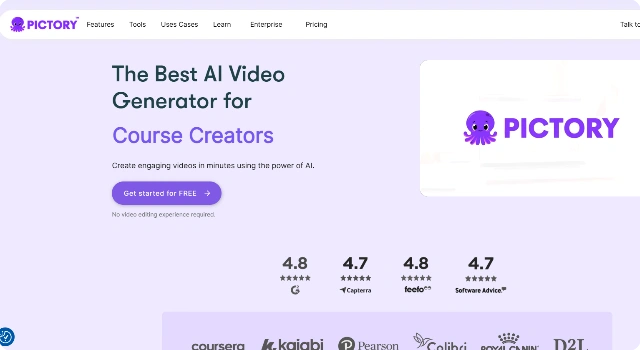
Pictory is a video generator that transforms long-form content like blogs or webinars into short, engaging videos.

Its AI-powered highlights, captions, and stock visuals help marketers repurpose content quickly without advanced editing skills.

Key Features

Pictory focuses on fast repurposing with features like:

  • Article-to-video conversion with scene breakdowns.
  • Automatic captions and highlight detection.
  • Stock visuals including footage, images, and background music.
  • Aspect ratio exports optimized for social media.
  • Brand presets for logos, colors, and styles.

Who Is Pictory Best For?

Pictory is best for marketers and creators who want to repurpose content:

  • Social media managers creating daily Shorts/Reels.
  • Content teams turning blogs into digestible clips.
  • Businesses summarizing webinars or podcasts.

Pros

  • Beginner-friendly workflow.
  • Strong content repurposing focus.
  • Affordable entry-level plan.

Cons

  • Limited style variety.
  • Heavy reliance on stock visuals.

Final Verdict: Is Pictory Worth It?

Pictory is excellent for turning existing content into quick, shareable videos, making it a strong fit for social-first marketing strategies.

How to Use Pictory: Step by Step

Turn scripts or blog posts into short social videos with auto-captioning and stock media.

  1. Log in and choose Script to Video or Article to Video.
  2. Paste your text or URL; let Pictory auto-create scenes.
  3. Pick a style/theme and aspect ratio.
  4. Swap visuals with stock footage or your uploads.
  5. Add AI voiceover or upload your own audio.
  6. Edit captions, timing, and brand elements.
  7. Generate and export in your desired resolution.

FAQ

Is Pictory free?
Pictory typically offers a trial. Ongoing use without watermarks and with higher limits needs a paid plan.

Can I repurpose blog posts?
Yes—import a URL or paste text to generate scenes, then edit visuals and captions.

Commercial usage allowed?
Yes on supported tiers. Confirm licensing for stock footage and music.

Does Pictory support voiceovers?
Yes—use AI voices or upload your own track and sync to scenes.

What is it best for?
Turning articles into social videos, YouTube shorts, and educational snippets.

Tips for results?
Provide clean copy, curate key scenes, adjust caption timing, and choose an aspect ratio per channel.

Scroll to Top